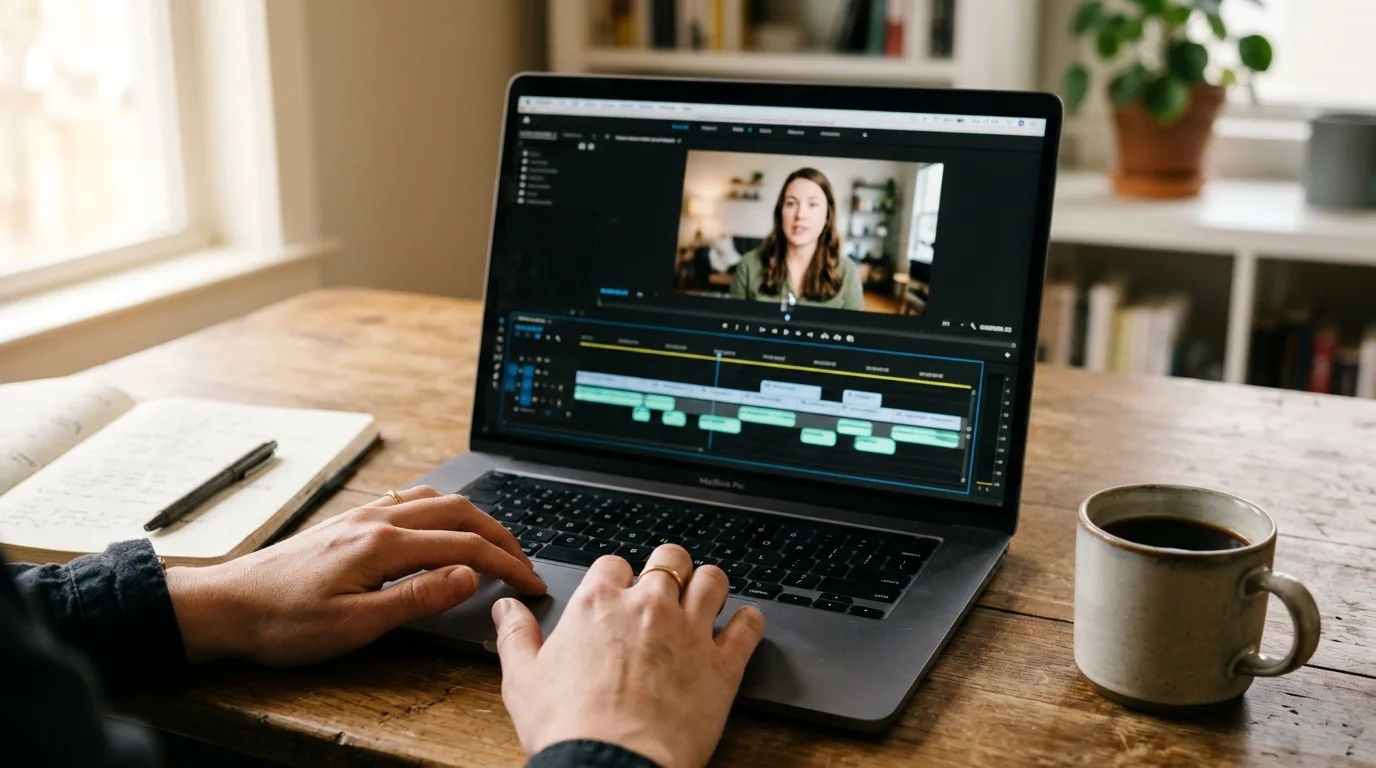
How to Make Captions for Any Video, Even One With No Talking
Captions can feel like one more job on a list that is already too long. You may dread hours of typing. Or you may worry about posting a caption that gets a name wrong. The job is smaller than it looks.
Pick a method. Then check the lines. This guide shows you which method fits the video in front of you, how to write and time each line, and how long it really takes. Checking the output is a normal step. It is not a sign the tool failed.
Should you make video captions manually or use automatic captions?
For most videos with talking, use both. Let automatic captions write the first draft. Then review every line yourself. Type captions by hand when there is no speech, heavy jargon or poor audio, or when accuracy matters most for accessibility. The one choice to skip is publishing raw automatic captions.
Automatic captions come from speech recognition. Software listens to the soundtrack and turns it into a timed caption file. That part is fast. It is also where the errors start.
The software mishears. Accents, dialects, mispronounced words and background noise all trip it up. Names of people and places often come out wrong. Sometimes a wrong word changes the meaning. Sometimes it is just embarrassing.
The W3C Web Accessibility Initiative is plain about this: you need to edit automatic captions for accuracy. University accessibility guides set a high bar for edited captions, at least 99% accurate.
| Method | Effort | Where errors come from | Best for |
|---|---|---|---|
| By hand | Most typing and timing | Your own typos and timing slips | No speech, heavy jargon, poor audio, accessibility-critical work |
| Automatic only | Least | Misheard words, accents, noise, wrong names | A rough draft, never the final file |
| Automatic, then review | Generate, then a full read-through | Anything you skip in review | Most videos where people talk |
Some work no software can do. Good captions need someone to decide which sounds matter. A door slam may be key to the moment. A fan humming in the corner is not. That call stays with you.
This is how captions work in GotReach. The caption generator is built into the video workflow to make your spoken message visible. You choose a caption style and generate captions from the spoken words. Then you review the words and timing before you publish. We tell everyone the same thing: check before it goes live.
Before you publish, check:
- Names of people, places and brands
- Special words and terms from your field
- Any word that changes the meaning
- Timing: each line shows as it is said
- Readability: short lines, easy to follow
- Sounds that matter
- Who is speaking, if there is more than one voice
Want the detail on fixing, restyling and exporting captions after you generate them? Read Caption Editing: Correct, Restyle & Export Captions. If you meant the words under a social post, not timed text on a video, this guide explains the two kinds of captions.
How long does it take to make captions for a video?
Plan on several times the length of the video, whatever method you use. Typing captions by hand takes at least five to six times the video's length. Automatic captions appear faster. But checking them takes real time too. The hours go into review, not into generating.
Here is how the time breaks down.
By hand. University accessibility guides put do-it-yourself captioning at five to six times the video's length, at least. So a 3-minute video could take you 15 to 18 minutes. A captioning company's blog gives a wider range, about 5 to 10 times the length. It depends on how complex the video is and how many words it has.
Generating. One university says auto captions can be made in about a quarter of the video's length. That is about 15 minutes for an hour-long video. Another university says its platform can take 1 to 2 times the length. It varies by platform and by how complex the audio is.
Reviewing. Correcting an automatic file takes quite a bit of time if you don't do it often. One captioning company estimates a careful check of a raw automatic file at about 6 times the video's length.
| Method | Stages | Time |
|---|---|---|
| Fully by hand | Type, split into lines, time, format, check | At least 5 to 6 times the video length (university guidance). About 5 to 10 times (captioning company) |
| From a script | Clean the script, split it, sync it, watch through | No standard figure. Less typing, but still a full watch-through |
| Auto, then review | Generate, review words, fix timing, style, export | Generating: about a quarter to 2 times the length, by platform. Careful review: about 6 times on a raw file (captioning company estimate) |
What changes the numbers:
- Busy or poor audio
- Long videos, since syncing can struggle past an hour
- Lots of names and special terms
- How often you do it, since practice speeds up review
Batching helps. In GotReach, one recording session becomes weeks of social videos. Editing and captions happen in the same workspace. So you review in one sitting instead of starting from scratch each day. See how one recording turns into many posts.
How do you write captions for a video by hand?
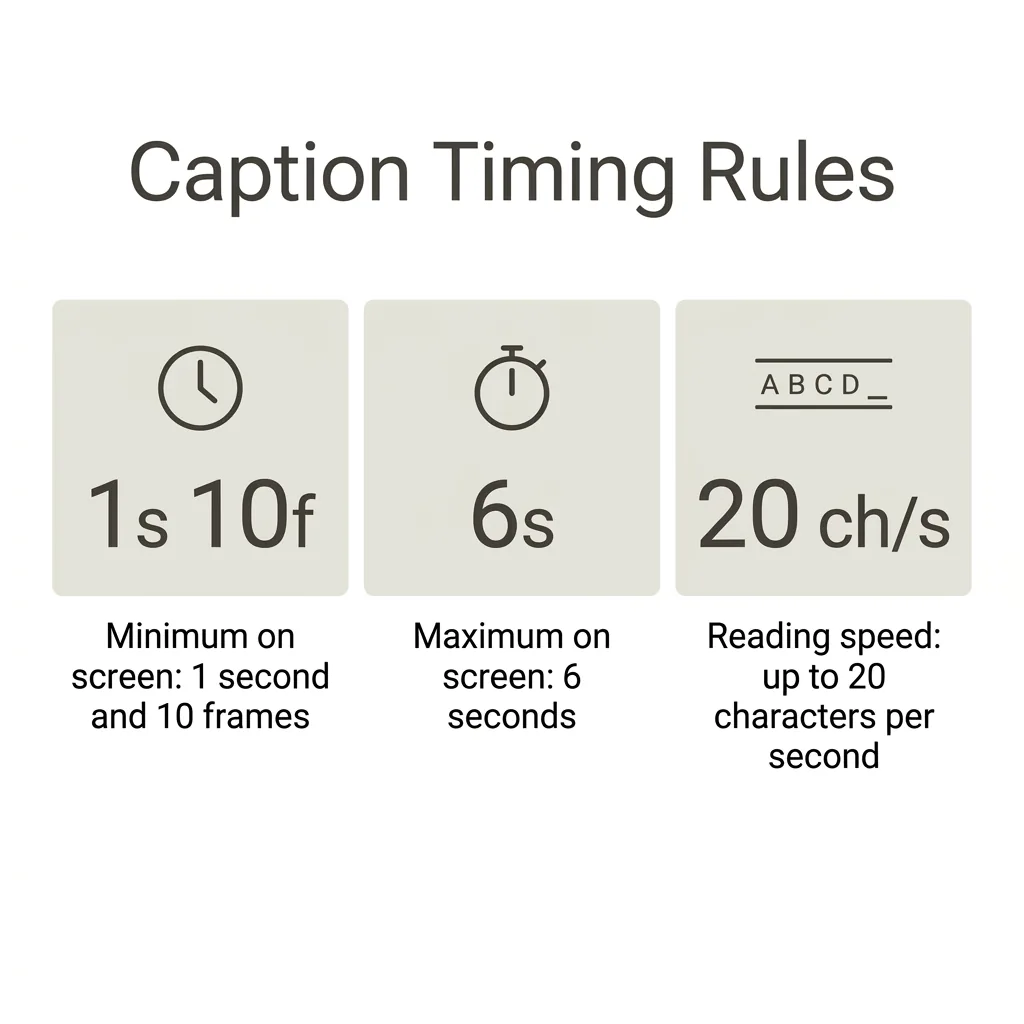
Type what is said. Break it into short captions. Give each one a start and end time. Save it as a caption file. Keep each caption to two lines, on screen for just over a second up to six seconds. Then watch it back with captions on and fix anything that reads badly.
Making captions comes down to two jobs. You type up the audio. Then you put it in a file with timestamps. Follow these steps.
- Watch once. Don't type yet. Get a feel for the pace and the speakers.
- Type while it plays. Use keyboard shortcuts and a pause-while-typing option if your editor has them. They save a lot of rewinding.
- Split into captions. End each caption at punctuation or a natural pause in speech.
- Keep it to two lines. No more than two lines per caption is the standard to aim for.
- Break lines in the right place. Don't split a phrase like "at night" across two lines. Don't end a line on "and", "but" or "because". Start the next line with it instead.
- Set the timing. The Described and Captioned Media Program (DCMP) says a caption should stay up at least 40 frames, which is 1 second and 10 frames. It should come down by 6 seconds.
- Check reading speed. Netflix's English timed text style guide allows up to 20 characters per second for adult programs. If a caption runs faster, give it more time or split it.
- Save the file. SRT is simple. WebVTT is the most common caption format on the web.
- Watch it back. Turn captions on. Read every line at full speed.
An SRT file is plain text. Each caption gets a number in order, a time range and its words. A blank line sits between captions. Here is a short sample:
1
start time --> end time
Here is the one tip
that saved my mornings.

2
start time --> end time
Water your plants
before work, not after.
Caption these word for word:
- Quotes from a person
- A well-known person speaking on screen
- Poems and other published works being quoted
- Song lyrics being sung
Formatting checklist:
- Two lines or fewer
- Up for at least 1 second and 10 frames
- Down by 6 seconds
- No phrase split across lines
- No line ending on a conjunction
- 20 characters per second or less
- Quotes and lyrics exact
- Speakers named when it is not clear
Not sure whether to burn captions into the video or upload a file? How to Add Captions to Video in 2026 covers burned-in captions, SRT and VTT.
How do you turn a video script into captions?
Start from your script, but follow the final edit. Clean the script. Split it at natural pauses into caption-sized chunks. Sync it to the audio. Then watch the video and fix every spot where you said something different. The script saves typing. It does not replace a watch-through.
Captions and transcripts hold the same text. So a script is a strong head start. But it is only a draft. The Federal Communications Commission says captions must match the spoken words. If you ad-libbed, cut a line or swapped a word, the captions follow the audio.
- Clean the script. Remove notes, cues and anything you did not say out loud.
- Add what scripts leave out. Note who is speaking. Add sounds that matter, like [applause].
- Match it to the final edit. Strike lines that were cut. Type in any ad-libs.
- Split into chunks. Break at punctuation and natural pauses. Keep each chunk to two short lines.
- Sync to the audio. Some platforms let you paste in the words and match them to the audio with voice recognition. Some video hosts build this sync step into their upload tools. It only works when the script is in the same language as the speech. It can struggle with videos over an hour or with poor audio.
- Watch through. Check that every line appears as it is said. Fix the timing where it drifts.
- Trim only when you must. Cut words only when a caption is too fast to read or can't stay in sync.
Before: a script line
"Most people water their plants at night, but the morning is better because the leaves dry out during the day."
After: caption lines
- Caption 1: Most people water / their plants at night,
- Caption 2: but the morning is better
- Caption 3: because the leaves dry out / during the day.
Notice the breaks. "At night" stays together. "But" and "because" start lines. They never end one.
Using auto captions instead? Keep your script open while you review. It is a quick way to check names and special terms.
GotReach helps you come up with video ideas and scripts with AI. You record your clips. Then the videos are edited with captions before you schedule them. The captions come from the spoken words, and you review the words and timing before publishing. See how to script, record and post in one place.
How do you caption a video that has no talking in it?
Auto captions can't help here. They need speech. With no speech, there is nothing to turn into text. GotReach's caption generator creates captions from spoken words, so it has nothing to work with either. What you do instead depends on the video. Often you need no captions. Sometimes you need a sound cue or a short transcript.
Speech recognition listens for words. No words, no captions. Even a long silence at the start of a video can stop some platforms from making auto captions at all.
| Type of video | What to do | Example |
|---|---|---|
| Fully silent, no audio | Captions aren't needed. Offer a short transcript of what is shown instead. | Transcript: "A hand repots a fern, one step at a time." |
| People seen talking, no sound | Caption the silence. | [no audio] or [silence] |
| Background music only | Captions aren't needed if the music carries no meaning. Consider telling viewers. Mark nonessential music with a music note in the upper right. Skip music under 5 seconds. | ♪ |
| Sounds that matter | Caption the sound, in present tense. | [rain pours] |
| Text on screen | Don't repeat text viewers can already read. Caption on-screen text only if it matters to the story. | No caption needed for the overlay |
Captions and audio description do different jobs. Captions turn sound into text. The W3C explains audio description as describing the visual information people need to follow the content. For a video that is all visual, captions can't stand in for that. A transcript of what is shown is the closer match.
To time captions for sounds:
- Watch with sound on. Note where each sound that matters starts.
- Start the caption as the sound starts.
- Keep it up at least 1 second and 10 frames. Take it down by 6 seconds.
- Place sound cues away from your on-screen text.
- Watch again with sound off. Ask what a viewer would miss.
For the wider picture, including open versus closed captions, read How to Add Subtitles to Video.
Frequently Asked Questions
Can you add captions to someone else's YouTube video?
Not directly. YouTube switched off the feature that let viewers submit captions to other people's videos. It ended across all channels. The respectful route is to ask the creator. Get their permission and, if they agree, get the video file straight from them. You can also offer them your caption file to add themselves.
Can you make subtitles for a video without downloading software?
Yes. Some video hosts have a free captioning tool built in once you upload a video. Free online captioning services exist too. With many of them, you paste the video's link and type what you hear as it plays. Then you sync the lines and watch back to check the timing. One catch: some free public workspaces let anyone create and edit the subtitles. Keep private videos out of them.
Should video captions include sound effects and music cues?
Yes, when the sound helps someone follow the video. Captions cover speech and the non-speech sounds needed to understand the content. Regulators expect background noises and other sounds to be conveyed as fully as possible. A good rule: caption a background sound only when it matters to what is happening. Write cues in present tense, like [crowd cheers], not [crowd cheered]. Caption song lyrics word for word. Music that is part of the video belongs in the caption track. People watching with the sound off rely on these cues. Which sounds matter is a judgment call, and it stays with you.
Captions are one step in a longer path. GotReach keeps recording, editing, captions, scheduling and analytics in one workspace, with you reviewing the output. If that is the workflow you want:
Start a partnership inquiry
Sources
- W3C Web Accessibility Initiative — Captions/Subtitles | Web Accessibility Initiative (WAI) | W3C · retrieved October 20, 2026
- Described and Captioned Media Program (DCMP) — Captioning Key - Text · retrieved October 20, 2026
- Netflix Partner Help Center — English (USA) Timed Text Style Guide – Netflix | Partner Help Center · retrieved October 22, 2026
- Federal Communications Commission — Closed Captioning on Television | Federal Communications Commission · retrieved October 20, 2026
- W3C Web Accessibility Initiative — Description of Visual Information | Web Accessibility Initiative (WAI) | W3C · retrieved October 22, 2026
- SUNY Oswego Accessibility — YouTube Captioning | SUNY Oswego · retrieved October 22, 2026
- W3C WCAG 2.1 Understanding — Understanding Success Criterion 1.2.1: Audio-only and Video-only (Prerecorded) | WAI | W3C · retrieved October 22, 2026
- Described and Captioned Media Program (DCMP) — Captioning Key - Special Considerations · retrieved October 22, 2026
- Described and Captioned Media Program (DCMP) — Captioning Key - Sound Effects and Music · retrieved October 21, 2026
- Described and Captioned Media Program (DCMP) — Captioning Tip Sheet · retrieved October 21, 2026
- YouTube Official Blog — How to add captions to YouTube videos for better accessibility - YouTube Blog · retrieved October 22, 2026
- Pope Tech — A complete guide for adding captions to YouTube videos - Pope Tech Resources · retrieved October 22, 2026
- University of California Office of the President — Captioning Best Practices | UCOP · retrieved October 21, 2026
- Library of Congress — SubRip Subtitle format (SRT) · retrieved October 21, 2026
- UNC Greensboro Accessibility — Captioning | Accessibility Resources at UNCG · retrieved October 22, 2026
- 3Play Media — How Long Does It Take To Manually Caption Videos? · retrieved October 21, 2026
- University of Wisconsin-Milwaukee — Accessibility - FAQs about Video Captioning · retrieved October 22, 2026
- University of Florida — DIY Captioning | Information Technology | University of Florida · retrieved October 22, 2026
- 3Play Media — How Much Does It Cost to Do Closed Captioning In-House? | 3Play Media · retrieved October 22, 2026
- The Next Web — YouTube will no longer let viewers help creators with subtitles and captions · retrieved October 22, 2026
- Scissortail Creative Services — Can I Use a YouTube Video in My Course? - Scissortail Creative Services, LLC · retrieved October 22, 2026
- University of Hawaiʻi — Creating Accessible Media | Accessibility at UH · retrieved October 22, 2026
- National Deaf Center on Postsecondary Outcomes — Videos with Music - National Deaf Center · retrieved October 22, 2026