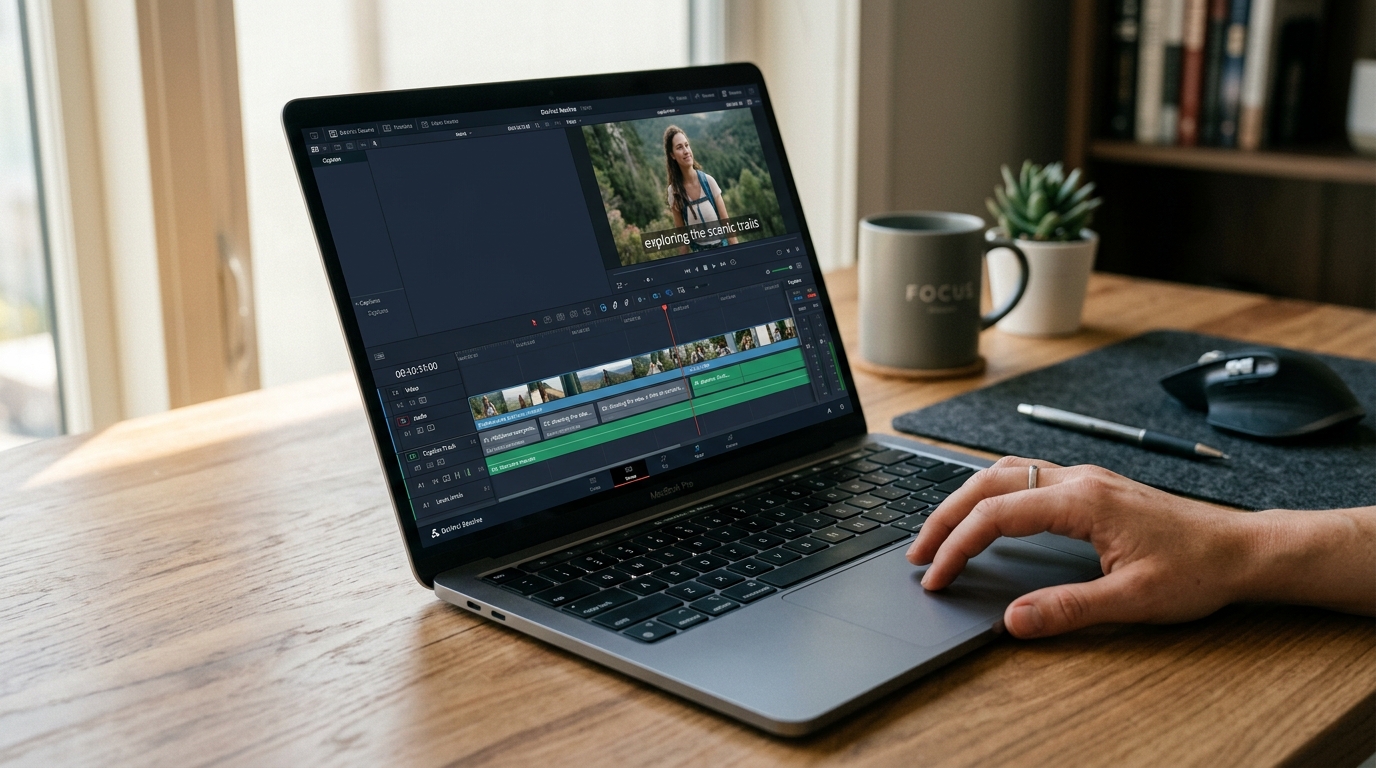
Caption Editing: How the Process Works, What to Look for in a Tool, and How to Get It Right
Most creators assume AI caption tools handle everything. Upload a video, get captions, done. Then they publish, watch the video back, and notice the brand name is misspelled, the timing is off, and the captions vanished entirely on TikTok because they exported the wrong file format.
Caption editing is not a single step. It is a process with six distinct stages, and the tool you choose has to handle all of them well. This guide covers the full workflow from generation through export, explains what each stage requires, and gives you a concrete framework for choosing the right tool before you commit to one.
Key Takeaways
- Caption editing involves six stages: generation, review, correction, styling, timing, and export. AI handles stage one; every stage after that still requires decisions.
- AI captions are a strong first draft, not a finished product. Review before publishing is necessary regardless of which tool generated them.
- Export format matters. SRT, VTT, and burned-in captions each serve different platforms and cannot always be swapped after the fact.
- Choosing a tool means evaluating volume capacity, correction interface quality, export format support, and plan limits, not just feature count.
- For creators publishing across multiple platforms at scale, single-video caption tools create a production bottleneck that compounds with every video added to the queue.
What Caption Editing Actually Involves (It Is More Than Auto-Generation)
When people search for caption editing tools, they are usually thinking about step one: getting AI to generate a transcript synced to their video. That step is real and useful. It is also just the beginning.
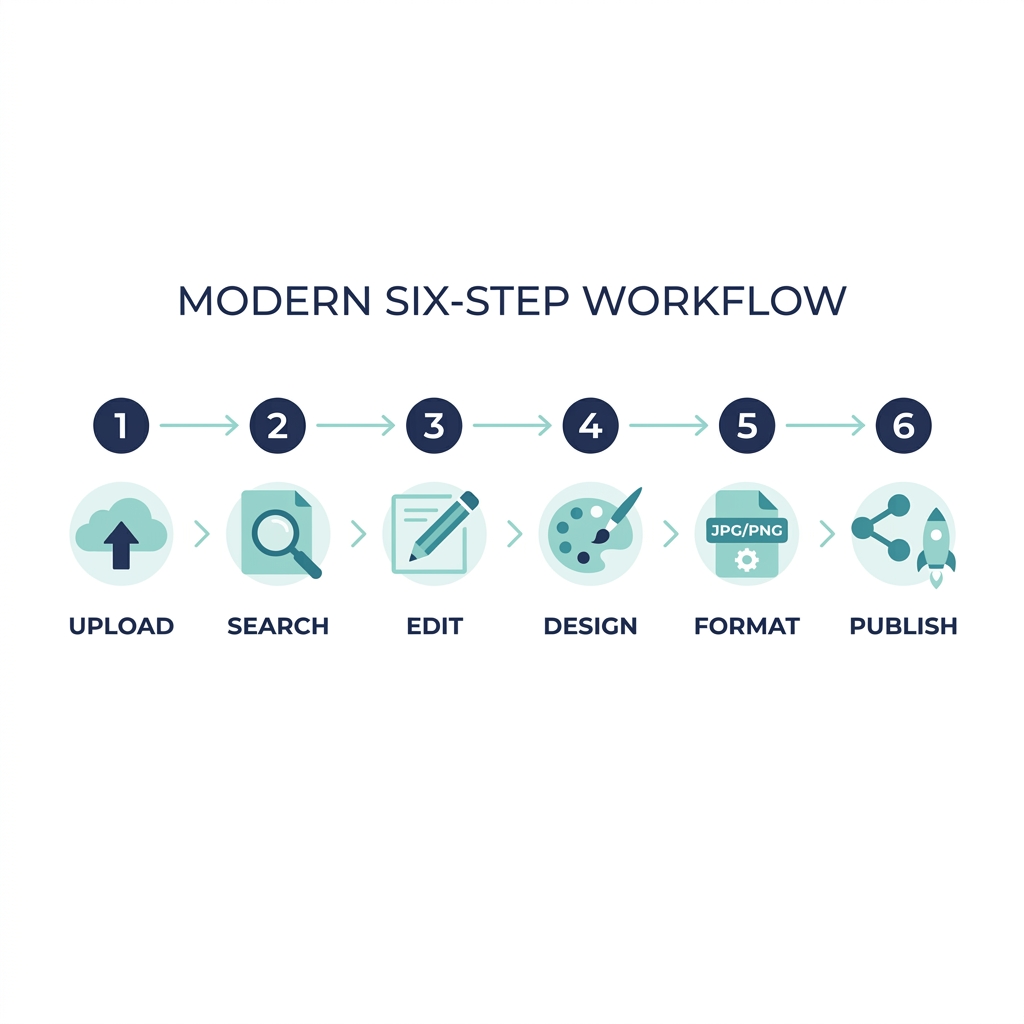
Before you choose a tool, you need to know what you are actually choosing it for. Here is the full workflow:
- Upload and auto-generate -- AI transcribes the audio and syncs text to timestamps, producing a first-draft caption file. Speed and accuracy at this stage depend on audio quality, speaker clarity, and how well the tool handles your vocabulary.
- Review for accuracy -- Read through the generated captions against the video. Look for mishearings, skipped words, and names the AI has never seen before. This step cannot be skipped.
- Correct and re-time -- Fix text errors and adjust caption timing where the sync drifts from natural speech. Timing errors are subtle but noticeable, and they erode viewer experience faster than most creators expect.
- Style and format -- Set font, size, color, background opacity, positioning, and line break length. For burned-in captions, these decisions are permanent at export. For file-based captions, some styling is handled by the platform.
- Select export format -- Choose SRT, VTT, ASS, or burned-in based on where the video is going. The wrong format for a platform means re-exporting or losing caption data entirely.
- Publish or distribute -- Upload the caption file to the platform or push directly through your publishing tool. Multi-platform publishing from one workflow saves significant time at this stage.
A creator uploading a 60-second TikTok still works through every one of these stages. Even a short video requires a check on brand name accuracy, timing sync, and whether captions are burned in before posting, since TikTok does not reliably display uploaded caption files the way YouTube does.
One quick distinction worth noting: closed captions are delivered as a separate file uploaded to the platform, while open captions are baked directly into the video frame. The platform and use case determine which you need. For the full breakdown of captions versus subtitles and when to use each, that post covers the distinction in detail so this one can stay focused on the editing workflow.
AI Caption Accuracy: What It Gets Right, Where It Fails, and Why You Still Need to Review
AI gets you a first draft in seconds. Whether that draft is usable depends on your audio quality, your speakers, and how many proper nouns are in the script.
Here is where AI-generated captions consistently struggle:
- Proper nouns and brand names -- If the AI has not encountered a name before, it guesses phonetically. A product demo video almost always surfaces at least one misspelled brand name on the first pass.
- Accents and regional speech patterns -- English-language captions from clear, standard-accent audio perform best. Accented speech, regional dialects, and non-native speakers introduce significantly more errors.
- Technical vocabulary -- Industry terms, acronyms, and niche terminology get substituted for common words that sound similar.
- Overlapping speakers -- When two voices overlap, AI tools frequently miss words or attribute dialogue incorrectly.
- Low-quality audio -- Background noise, poor microphone quality, and compression artifacts all reduce accuracy. The AI is only as good as what it can hear.
- Non-English and mixed-language audio -- Accuracy varies significantly by language. Multilingual content introduces additional complexity most tools handle inconsistently.
Skipping the review step is a real risk, not a theoretical one. Misspelled names undermine credibility. Wrong words at key moments change meaning. Timing that does not match the speaker makes the video harder to follow for everyone, and particularly for viewers who rely on captions.
For a deeper look at accuracy benchmarks and tool-by-tool comparison data, the AI captions accuracy and tool selection guide covers that analysis in full.
AI Auto-Captions vs. Manual Caption Editing
| Factor | AI Auto-Captions | Manual Caption Editing |
|---|---|---|
| Speed | Seconds to minutes per video | Hours per video depending on length |
| Accuracy | High for clear audio; lower for accents, proper nouns, technical terms | As accurate as the editor, but labor-intensive |
| Cost | Low to moderate depending on plan | High in time or professional fees |
| Correction burden | Required before publishing | Built into the process |
| Best for | First draft at any volume | High-stakes content where every word must be exact |
| Scale | Handles volume; correction time still accumulates | Does not scale without a dedicated team |
The practical answer for most creators is neither pure AI nor pure manual: use AI for the first draft and build a reliable correction step into your workflow. The tools worth paying for are the ones that make that correction step fast.
Caption Styling, Formatting, and Export Formats: What Each Option Means for Your Platform
Styling and export format feel like finishing details. They are not. Getting them wrong at this stage means re-doing work you have already done.
Styling options typically include font family, font size, text color, background opacity, caption positioning (bottom center is standard, but top positioning is common for screen recordings), and line break length. For burned-in captions, every one of these decisions is locked at export. You cannot change them afterward without re-rendering the video. That is why the accuracy review and styling decisions must happen before the final export, not after.
For file-based captions uploaded to a platform, some styling is controlled by the platform rather than the caption file. YouTube, for example, applies its own default caption display and lets viewers adjust size and color. That flexibility is one reason file-based formats remain useful even for creators who primarily publish to social platforms.
Export formats determine whether your captions work at all on a given platform. Here is what each format does and where it belongs:
| Format | File Extension | Best For | Compatible Platforms |
|---|---|---|---|
| SRT | .srt | Universal subtitle file, widest compatibility | YouTube, Vimeo, Facebook, LinkedIn, most video players |
| VTT | .vtt | Web video and HTML5 players | YouTube, web embeds, accessibility tools |
| ASS / SSA | .ass / .ssa | Advanced styling: positioning, color, animation effects | Desktop players, professional production environments |
| Burned-in (Open Captions) | Baked into video file | Social autoplay, no upload required | TikTok, Instagram Reels, YouTube Shorts, all platforms |
The WebVTT specification is maintained by the W3C and defines how VTT files are structured and interpreted by browsers and video players.
Choosing the wrong format is not just an inconvenience. A creator who uploads an SRT file to TikTok may find the captions do not display as expected, or display inconsistently across devices. A creator who burns captions into a video for TikTok cannot remove or edit them later. Format choice is a real decision that shapes what you can do with the video after it is published.
How to Choose a Caption Editing Tool: The Criteria That Actually Matter
The question is not which tool has the most AI features listed on its homepage. It is which tool handles your volume, outputs the format your platform requires, and does not slow you down when you have 20 videos due this week.
Free tiers are worth examining carefully before committing. Most freemium caption tools include processing queues, project caps, or features gated behind paid tiers without disclosing the limits clearly upfront. Know what you actually get before you build a workflow around a plan.
The difference between tools built for single-video social content and tools designed for high-volume publishing is significant. Single-video caption tools typically require 5 to 10 minutes per clip, including upload, generation, correction, and export. For a team publishing 20 videos per week across seven platforms, that math does not work. An agency managing five client accounts cannot operate on a per-video workflow and hit a daily publishing cadence.
GotReach is built for that scale. It produces up to 300 videos in approximately 30 minutes from a single idea and automates editing and publishing across seven social platforms from one workflow. The GotReach AI caption generator is the starting point for creators who need that kind of throughput. For teams using caption editing as part of a broader short-form video production process, GotReach's content repurposing workflow connects captioning directly to multi-platform distribution.
Here is the evaluation framework to apply to any tool you are considering:
| Criterion | What to Look For | Why It Matters |
|---|---|---|
| Accuracy and error rate | Language-specific performance, handling of proper nouns and accents | Determines how much manual correction you will need after generation |
| Manual correction interface | Ease of editing individual lines, timing adjustments, find-and-replace | Poor correction UX multiplies time cost on every video |
| Export format support | SRT, VTT, burned-in: which formats the tool outputs | Your platform dictates the format; a tool that cannot export what you need is a dead end |
| Plan limits and processing caps | Project limits, processing wait times, free vs. paid tier differences | Free tiers often throttle or queue; know what you actually get before committing |
| Volume and scale | Videos per month, batch processing, time per video | Single-video tools take 5 to 10 minutes per clip, which is unsustainable for high-volume publishing |
| Platform compatibility | How many and which platforms the tool publishes or exports to | Creators publishing across seven platforms need one workflow, not seven separate exports |
Captions for Accessibility and Compliance: What Creators and Brands Need to Know
For most social creators, captions are about engagement: viewers watching on mute, non-native speakers, and the algorithmic signal that closed captions add. That is a legitimate reason to caption. It is also a different standard than what accessibility compliance requires.
In broadcast, public sector, and many digital environments, captions are legally required. The FCC mandates captions for broadcast and cable television content. The ADA and Section 508 set accessibility requirements for video content in government and institutional contexts. On the web, the WCAG captioning guidelines for prerecorded video specify that captions must meet four standards to be considered accessible:
- Accurate -- Captions must match the spoken audio, including relevant non-speech sounds.
- Synchronized -- Captions must appear in time with the corresponding audio, not ahead of it or behind it.
- Complete -- All spoken dialogue and relevant sound information must be captioned.
- Properly positioned -- Captions must not obscure important visual content.
Those four criteria are not aspirational. For content that must meet WCAG standards, they are the minimum bar. AI-generated captions that have not been reviewed and corrected frequently fall short on accuracy and synchronization.
If your content has a compliance requirement, that changes what you need from a tool. Evaluation priority shifts toward correction interface quality, export format compliance, and whether the tool allows the level of timing control WCAG synchronization standards require. Feature count becomes less relevant than correction precision.
Caption Quality Checklist Before Publishing
Use this checklist before finalizing any caption file intended for accessibility compliance:
- All spoken words are transcribed correctly, including proper nouns and brand names
- Captions are synchronized to within one second of the corresponding audio
- No relevant dialogue or meaningful sound information is missing
- Captions do not overlap with important visual elements on screen
- Font size and contrast meet legibility standards for the intended viewing environment
- Line breaks do not split phrases or sentences in ways that disrupt meaning
- Export format is compatible with the target platform or distribution channel
- File has been reviewed in the target player or platform before final publish
Conclusion: Build the Workflow First, Then Choose the Tool
Caption editing done right is a process. AI gets you a strong first draft fast, but review, correction, styling, timing, and export format selection are all decisions that remain with the creator. The tool you choose is only as good as the workflow it supports.
For creators publishing a handful of videos per week to one or two platforms, a capable single-video tool with a solid correction interface and SRT export will cover most of what you need. For teams publishing daily across seven platforms, the per-video time cost of single-video tools compounds into a real production problem. At 5 to 10 minutes per video, 300 videos would take weeks. GotReach handles that volume in about 30 minutes from a single idea, with editing and distribution built into the same workflow.
The free plan includes up to 30 videos per month with one connected social account and no watermarks, which is enough to test the workflow before committing.
Start your 30-day free trial today and see what the process looks like when the bottleneck is removed.
See how GotReach helps businesses and people create and publish more.
Frequently Asked Questions
What is the difference between captions and subtitles?
Captions are designed for viewers who cannot hear the audio: they include dialogue, speaker identification, and relevant non-speech sounds like music or sound effects. Subtitles assume the viewer can hear and translate spoken dialogue into another language. The distinction matters when choosing a tool and an export format. For the full explanation, see captions vs. subtitles: when to use each.
How accurate are AI-generated captions and do I need to correct them?
AI captions are accurate for clear audio with standard speech, but they consistently struggle with proper nouns, brand names, accents, technical vocabulary, and overlapping speakers. Accuracy also varies significantly by language. Reviewing and correcting AI-generated captions before publishing is necessary regardless of which tool you use. The risk of skipping review is real: misspelled names, wrong words, and mistimed captions all affect viewer trust and content quality.
What caption file format should I use for YouTube, TikTok, or Instagram?
For YouTube, SRT and VTT both work well. VTT is the web-native format; SRT has the widest compatibility across video players and platforms. For TikTok and Instagram Reels, burned-in captions (open captions baked into the video) are the most reliable option because these platforms do not consistently display uploaded caption files. For LinkedIn and Vimeo, SRT is the standard choice.
Can I edit captions after they have been burned into a video?
No. Burned-in captions are rendered directly into the video frames and cannot be removed or edited without re-rendering the video. That is why accuracy review and styling decisions must happen before the final burned-in export. If you need flexibility to update captions after publishing, use a file-based format like SRT or VTT and upload the caption file separately.
What are the free plan limits for caption editing tools and what do paid plans add?
Free tiers vary by tool but commonly include project caps, processing queues, feature restrictions, or watermarks. GotReach's free plan includes up to 30 videos per month with one connected social account and no watermarks. Paid plans typically remove processing caps, add platform connections, and unlock batch processing at volume. Read the plan details carefully before building a workflow around a free tier.
Do captions need to meet accessibility standards and what does that require?
In many contexts, yes. Broadcast, public sector, and institutional video content is subject to legal captioning requirements under FCC regulations, the ADA, and Section 508. For web video, WCAG 2.2 guidelines require that captions be accurate, synchronized, complete, and properly positioned. If your content has a compliance requirement, those four standards are the minimum bar, and AI-generated captions that have not been reviewed frequently fall short of them.