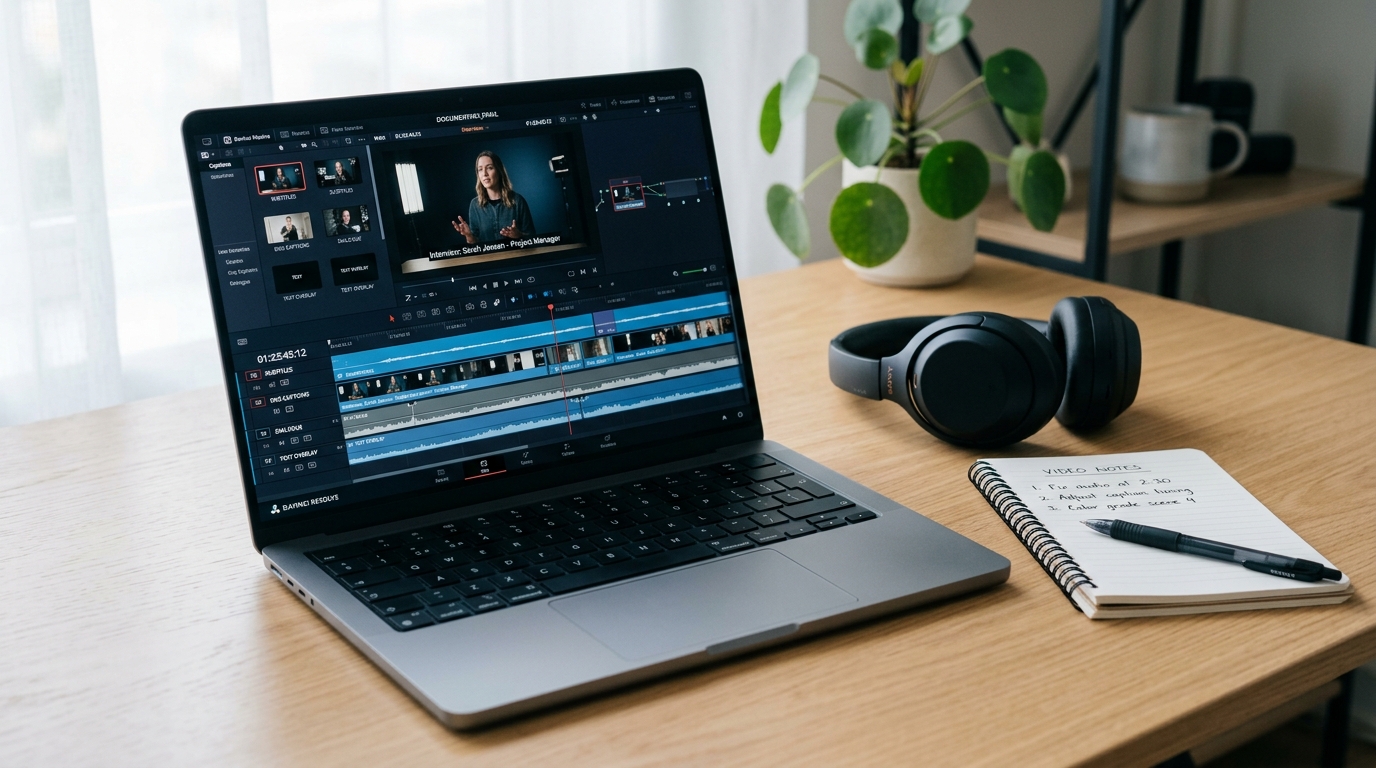
Captions vs. Subtitles: What They Are, When to Use Each, and How to Choose the Right Format
If you post video to more than one platform, you face a captioning decision on every single upload. YouTube wants an SRT file. Instagram burns text into the frame. LinkedIn accepts a separate caption track. TikTok does its own thing. Multiply that by the volume of content most creators are expected to produce, and the format question stops being academic fast.
Most creators make these decisions using two terms interchangeably: captions and subtitles. That is a problem. Choosing the wrong format can mean your video fails an accessibility audit, exposes your organization to compliance risk, or loses half its audience on muted autoplay.
This guide gives you clear definitions, all four format types explained, platform-specific behavior, compliance context, and a concrete decision framework. Not another "it depends."
Key Takeaways
- Captions transcribe all audio, including dialogue, sound effects, and music cues, for viewers who cannot hear. Subtitles carry dialogue only for viewers who can hear but do not understand the language.
- There are four formats, not two: open captions, closed captions, subtitles, and SDH. Each serves a different audience and platform context.
- Platform behavior varies: YouTube supports SRT upload and auto-captions; Instagram and TikTok use open-caption-style overlays; LinkedIn supports SRT for native video.
- Auto-captions are a starting point, not a finish line. They do not meet accessibility compliance standards without editing.
- Format choice comes down to four factors: audience need, platform capability, legal obligation, and content type.
Captions vs. Subtitles: The Core Distinction
These are not the same thing, even though the industry treats them that way constantly.
Captions transcribe all audio in a video: dialogue, sound effects, music cues, ambient noise. The underlying assumption is that the viewer cannot hear the audio at all. Captions are designed for deaf and hard-of-hearing viewers, and that design choice shapes what they include. When you see [door slams] or [upbeat music playing] appear on screen, you are watching captions, not subtitles. The ADA National Network's guidance on accessible video explains why this completeness matters for viewers who rely on text for the full audio experience.
Subtitles transcribe or translate spoken dialogue for viewers who can hear but do not understand the language being spoken. A French speaker watching an English film with French subtitles does not need to know that a door slammed offscreen. They can hear it. Subtitles give them the language bridge, not the audio description.
Confusing them causes real failures. Using subtitles where captions are required leaves deaf and hard-of-hearing viewers without critical context. Sound effects, speaker identification, and music cues disappear. Using captions where subtitles are needed may confuse foreign-language audiences with audio descriptions they do not need.
There is one complication worth naming directly: Netflix labels both formats as "subtitles" in its UI. You will see options like "English" and "English [CC]" in the same dropdown. The [CC] is the signal that the track includes full audio descriptions for deaf and hard-of-hearing viewers. The platform inconsistency is real, but it does not change the functional distinction that matters for the creator deciding which file to produce. Know what your audience needs, then choose the format that delivers it.
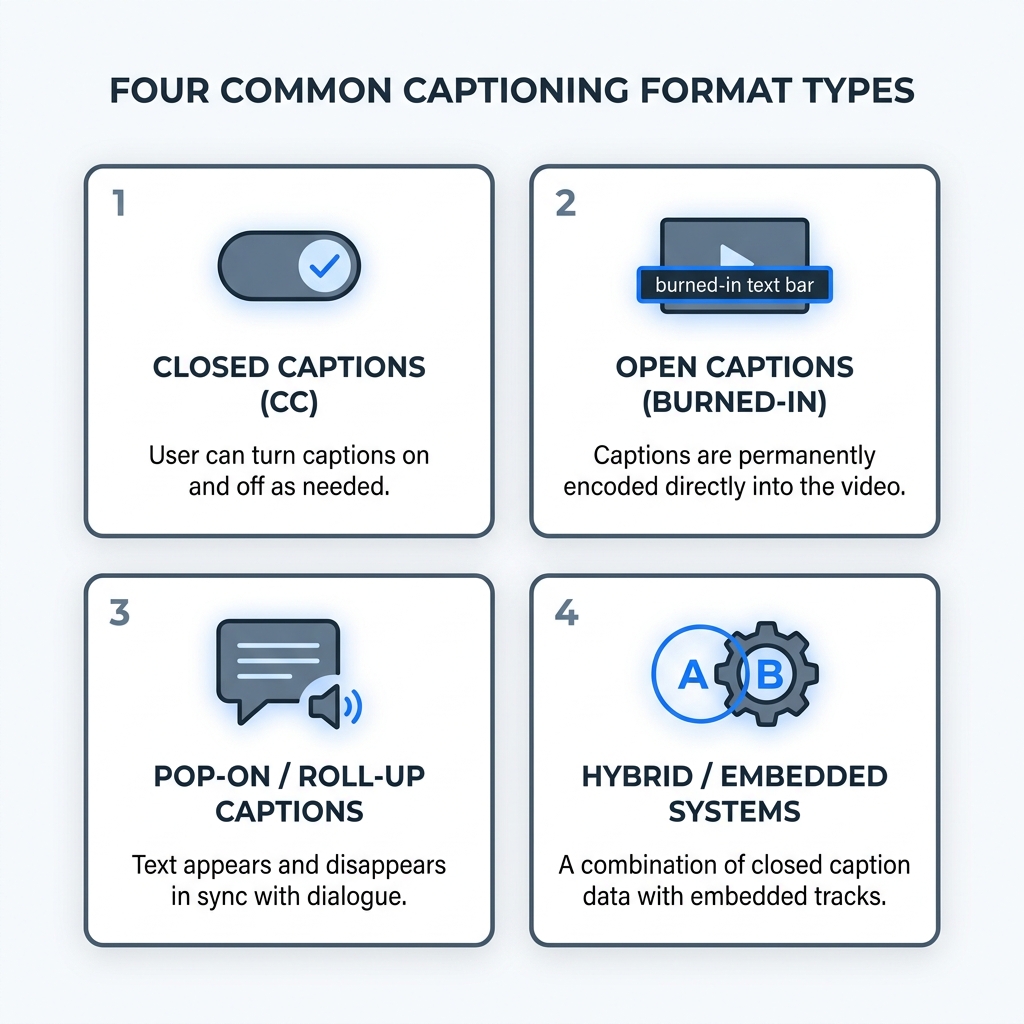
The Four Format Types: Open Captions, Closed Captions, Subtitles, and SDH
Most creators operate with two format options in mind. There are actually four, and missing two of them means making format decisions without the full picture.
Closed captions are toggleable. The viewer turns them on or off. They are delivered as a separate file (SRT, VTT, or SCC) and include full audio descriptions: dialogue, sound effects, speaker labels, and music cues. Closed captions are the standard format for accessibility compliance on most platforms. The viewer controls whether they appear.
Open captions are burned directly into the video frame. They are always visible. There is no toggle. The viewer cannot turn them off. This makes open captions the correct default for social media platforms where video autoplays on mute and most viewers will never interact with a caption toggle. A 15-second Instagram Reel with text burned in reaches the muted-autoplay viewer without requiring any action from them.
Subtitles are dialogue-only. They assume the viewer can hear the audio. They do not include sound effect descriptions or non-speech audio context. Standard subtitles are used for language translation or for rendering foreign dialogue in the viewer's preferred language.
SDH (Subtitles for the Deaf and Hard of Hearing) is the format that blurs the binary. It looks like subtitles but includes the audio descriptions and sound effect text you would expect from captions. It is a hybrid format designed to serve both deaf and hard-of-hearing viewers and foreign-language viewers simultaneously on a single track. Streaming platforms use SDH frequently because it eliminates the need to maintain separate accessibility and language tracks. Netflix labels SDH tracks as "English [CC]" because the platform UI does not distinguish between the two. Functionally, SDH is closer to captions than to standard subtitles.
Four-Format Quick Reference
| Format | Toggleable | Includes Sound Effects | Primary Use Case | Common Platforms |
|---|---|---|---|---|
| Open Captions | No | Yes | Muted autoplay on social media | Instagram, TikTok, Facebook |
| Closed Captions | Yes | Yes | Accessibility compliance, broad platform distribution | YouTube, LinkedIn, Vimeo, broadcast |
| Subtitles | Yes | No | Language translation for hearing viewers | Streaming platforms, film, international distribution |
| SDH | Yes | Yes | Combined accessibility and language access on a single track | Netflix, Hulu, Amazon Prime Video, broadcast |
How Captions and Subtitles Behave on Different Platforms
Knowing the functional difference between formats matters less if you do not know what each platform actually supports. Platform behavior determines which format is physically possible for your audience to use.
YouTube supports closed captions via SRT or VTT file upload. Auto-captions are AI-generated and available immediately after upload, but they require editing before they meet accessibility or compliance standards. Accuracy drops with accents, speaker overlap, technical vocabulary, and fast speech. Upload a corrected SRT file rather than relying on the auto-generated output for any content where accuracy matters.
TikTok and Instagram generate automatic captions that render as open-caption-style overlays. Manual correction is recommended for proper nouns, fast speech, and any content where accuracy affects meaning. These platforms do not support separate toggleable caption file uploads in the way YouTube does, which is why open captions burned into the video frame are often the better approach for creators who want consistent, accurate text across every view.
LinkedIn supports SRT file upload for closed captions on native video. There is no native auto-caption feature, which means uploading an SRT file is the path to accessible captions on the platform. If you skip this step, your video has no captions on LinkedIn.
Zoom and enterprise video supports live captioning via integrations and CART (Communication Access Realtime Translation) for high-accuracy real-time use. Recorded Zoom sessions generate an auto-transcript that can be exported and edited into a caption file for distribution.
Streaming and broadcast platforms typically require closed captions and often use SDH as the standard accessibility track. Broadcast television distribution in the United States requires SCC format. SDH is common on OTT platforms as a combined track.
Platform Compatibility Quick Reference
| Platform | Supported Caption Type | File Format Accepted | Auto-Caption Available | Compliance Relevance |
|---|---|---|---|---|
| YouTube | Closed captions | SRT, VTT | Yes, requires editing | ADA, WCAG 2.1 AA for organizations with obligations |
| TikTok | Open-caption overlay | Not applicable | Yes, manual correction recommended | Limited formal compliance framework |
| Open-caption overlay | Not applicable | Yes, manual correction recommended | ADA exposure for public-facing businesses | |
| Closed captions | SRT | No | ADA, WCAG 2.1 AA for organizations with obligations | |
| Zoom (recorded) | Closed captions | SRT (exported transcript) | Yes, transcript export | Section 508 for federal agency use; ADA for others |
| Streaming / Broadcast | Closed captions, SDH | SCC (broadcast), SRT or TTML (streaming) | Platform dependent | CVAA, ADA, FCC rules |
For implementation steps on uploading caption files to specific platforms, the guide to adding captions to video covers the process in detail without reproducing it here.
When Auto-Generated Captions Are Enough and When They Are Not
Auto-captions are not a finish line. They are a draft.
The commonly referenced accuracy threshold for compliance purposes is 99% for pre-recorded media under Section 508 standards. Most AI-generated captions do not reach this without review. The gap matters most when the content is subject to a legal obligation or when the audience is relying on captions for meaningful access.
Common error types that require editing:
- Homophones: "their" rendered as "there" or "they're"
- Proper nouns: brand names, personal names, technical terminology garbled or absent
- Speaker overlap: two voices produce one undifferentiated block of text
- Missing punctuation: run-on sentences without periods, commas, or question marks
- Absent sound effect descriptions:
[applause]or[music playing]simply not present - Incorrect line breaks: captions that cut mid-phrase and break reading rhythm
Auto-captions may be acceptable for informal social content where the primary goal is muted-autoplay readability, not legal compliance or professional accuracy. A casual product clip on Instagram can tolerate an occasional homophone. A compliance training video distributed to federal contractors cannot.
For any content subject to ADA, CVAA, WCAG, or Section 508, or for educational, medical, legal, or broadcast content, professionally reviewed or human-edited captions are required. For a deeper look at evaluating AI captioning quality, the guide to AI captions accuracy and tool selection covers error thresholds and when to escalate to human review.
Before / After Example
Auto-generated output: their going to announce the new product rollout at there annual summit next weak
Edited version: They're going to announce the new product rollout at their annual summit next week.
One sentence. Three errors. All invisible to the AI, all visible to the viewer relying on captions.
Auto-Caption Editing Checklist
Before publishing auto-generated captions, verify these six things:
- Grammar and punctuation are correct throughout
- All proper nouns (names, brands, product names) are spelled correctly
- Speaker identification is clear where more than one person is speaking
- Sound effects and non-speech audio are described where relevant
- Line breaks fall at natural phrase boundaries, not mid-sentence
- No caption line exceeds 42 characters (the standard readable length for most display environments)
Compliance Requirements: Who Needs Captions and Under Which Standard
Compliance is not just an enterprise or government concern. Private-sector businesses distributing video publicly face real legal exposure, and the standards that apply are broader than most creators realize.
ADA Title III applies to private businesses providing public accommodations. Courts have extended this to websites and online video in many contexts, requiring that video content be accessible to people with disabilities. The ADA does not specify a caption accuracy threshold, but it requires effective communication, and courts have found that inaccurate or absent captions fail that standard.
CVAA (21st Century Communications and Video Accessibility Act) applies to video programming distributed online if it was previously aired on television. This standard targets commercial broadcasters and MVPD programming specifically. If you are a creator producing original content that has never aired on television, CVAA does not apply to you. If you are a network or broadcaster distributing archived content online, it does.
Section 508 applies to federal agencies and their contractors for electronic content and communications technology. It sets specific accuracy and formatting standards for captions in both pre-recorded and live media. The 99% accuracy threshold most often cited in accessibility discussions comes from Section 508 guidance. If your organization contracts with a federal agency, Section 508 applies to your video content.
WCAG 2.1 AA is the international web accessibility standard maintained by the W3C. Success Criterion 1.2.2 requires synchronized captions for all prerecorded audio-visual content. WCAG is not a law in itself, but it is widely adopted by private-sector organizations as the compliance benchmark and is frequently referenced in ADA-related lawsuits and third-party accessibility audits.
Compliance Quick Reference
| Standard | Who It Applies To | What It Requires for Video |
|---|---|---|
| ADA Title III | Private businesses with public-facing websites and video | Effective communication for people with disabilities; captions required for meaningful access |
| CVAA | Broadcasters and MVPDs distributing online video that previously aired on TV | Closed captions meeting FCC quality standards for online video |
| Section 508 | Federal agencies and their contractors | Synchronized captions for prerecorded multimedia; ~99% accuracy threshold; formatting standards apply |
| WCAG 2.1 AA | Organizations adopting web accessibility standards; frequently applied in ADA litigation | Synchronized captions for all prerecorded audio-visual content (Success Criterion 1.2.2) |
How to Choose the Right Format: A Decision Framework for Creators
The decision is not complicated once you know four things: who your audience is, what platform you are on, what legal obligation applies, and what type of content you are distributing. Every common scenario has a clear answer.
Domestic audience, accessibility goal: Use closed captions. Upload a properly edited SRT file to the platform. Do not rely on auto-captions. If your content is subject to ADA, WCAG, or Section 508, professionally reviewed captions are required.
Social media with muted autoplay (Instagram, TikTok, Facebook): Use open captions burned into the video frame. According to a 2016 Digiday report, 85% of Facebook video was watched without sound at the time. The viewer will never tap a caption toggle. Burn the text in so it is always visible.
Multilingual or non-English-speaking audience: Use translated subtitles in the target language. Not captions. Standard subtitles serve the language-bridge function without adding sound effect descriptions that foreign-language viewers can hear for themselves.
Content subject to ADA, CVAA, WCAG, or Section 508: Use professionally reviewed closed captions. Do not publish unedited auto-captions for this content.
Content reaching both hearing-impaired and foreign-language audiences: Consider an SDH track, which includes dialogue and audio descriptions in a single file, or a dual-track approach with separate accessibility and language files. SDH is the most practical single-track solution.
Live event or webinar: Use live captioning via CART or a real-time captioning integration. Auto-generated live captions are available on most platforms but accuracy varies. For any event where compliance is required, CART is the standard.
If you are producing content across multiple platforms at volume, the captioning format decision multiplies with every upload. Tools like Captions (the app) handle one video at a time and require 5 to 10 minutes per video. GotReach lets you create up to 300 videos in one session and distribute across seven platforms from a single workflow, which changes what the format decision costs you at scale. See how GotReach approaches video at volume.
Format Decision Matrix
| Situation | Recommended Format | Why |
|---|---|---|
| Social media post with autoplay muted (Instagram, TikTok, Facebook) | Open captions (burned in) | Viewers will not interact with a caption toggle; burned-in text is always visible |
| Domestic audience, accessibility goal | Closed captions (edited SRT file uploaded) | Toggleable, platform-compatible, accessibility-compliant when properly reviewed |
| Multilingual or non-English-speaking audience | Subtitles in target language | Viewers can hear audio; they need language access, not sound descriptions |
| Must satisfy ADA, CVAA, WCAG 2.1 AA, or Section 508 | Professionally reviewed closed captions | Auto-captions do not meet compliance accuracy standards without editing |
| Live event or webinar | CART or live captioning integration | Real-time accuracy; required for compliance contexts |
| Streaming platform or broadcast distribution | SDH or closed captions (SCC for broadcast) | SDH serves combined accessibility and language needs on one track; SCC required for TV distribution |
Caption File Formats: SRT, VTT, SCC, and TTML
Once you know which caption type to produce, you need to produce it in the right file format. Most creators will only ever need SRT. Knowing when VTT, SCC, or TTML applies keeps you from uploading the wrong file to the wrong platform.
SRT (SubRip) is plain text with timestamps. It is the most widely supported format across YouTube, LinkedIn, Vimeo, and most major platforms. If you are unsure which format to use, start with SRT.
VTT (WebVTT) is the web-native format. It supports basic styling and is the preferred format for HTML5 video players and streaming web applications.
SCC (Scenarist Closed Captions) is the broadcast standard in the United States. Television distribution requires SCC. If your content is going to broadcast, this is the format.
TTML (Timed Text Markup Language) is an XML-based format used in streaming and broadcast workflows, including some OTT platforms. Less common for independent creators, but relevant for enterprise streaming distribution.
File Format Quick Reference
| Format | Use Case | Platform Compatibility | Styling Supported |
|---|---|---|---|
| SRT | General web, social platform upload | YouTube, LinkedIn, Vimeo, most major platforms | No |
| VTT | HTML5 video, streaming web applications | Web players, some streaming platforms | Yes |
| SCC | Broadcast television distribution | US broadcast TV | Limited |
| TTML | Streaming and broadcast enterprise workflows | OTT platforms, some streaming services | Yes |
For step-by-step guidance on creating and uploading each of these formats to specific platforms, the guide to adding captions to video covers implementation in full.
FAQs
Are captions and subtitles the same thing?
No. Captions transcribe all audio, including dialogue, sound effects, and music cues, for viewers who cannot hear. Subtitles carry dialogue only for viewers who can hear but do not understand the spoken language. The functional difference has real consequences for accessibility and compliance.
What is the difference between open captions and closed captions?
Closed captions are a separate file that the viewer can turn on or off. Open captions are burned into the video frame and are always visible. Open captions are the correct choice for muted-autoplay social media. Closed captions are the standard for accessibility compliance on most platforms.
What are SDH subtitles and when should I use them?
SDH (Subtitles for the Deaf and Hard of Hearing) is a hybrid format that includes dialogue and sound effect descriptions like captions, but is structured like a subtitle track. Use SDH when your content needs to serve both deaf and hard-of-hearing viewers and foreign-language viewers on a single track. It is common on streaming platforms.
Do I legally need to add captions to my videos?
It depends on who you are and what you distribute. Federal agencies and their contractors must meet Section 508. Broadcasters distributing archived TV content online must meet CVAA. Private businesses with public-facing websites face ADA Title III exposure. Any organization that has adopted WCAG 2.1 AA as its accessibility standard must provide synchronized captions for prerecorded content.
Are YouTube auto-captions accurate enough for accessibility compliance?
Generally, no. Section 508 references a 99% accuracy threshold for pre-recorded media. AI auto-captions from YouTube and most platforms fall below this without editing. For informal social content, auto-captions may be sufficient. For compliance contexts, educational content, or professional video, review and correct the auto-generated output before publishing.
What caption file format should I use for YouTube, TikTok, or LinkedIn?
YouTube: SRT or VTT. LinkedIn: SRT. TikTok: the platform uses its own auto-caption overlay; open captions burned into the video frame are the recommended approach for consistent accuracy.
Which format should I use if my content targets both deaf or hard-of-hearing viewers and non-English-speaking audiences?
Use an SDH track if your platform supports it, which combines audio descriptions with dialogue in a single file. Alternatively, use a dual-track approach: one closed caption file for accessibility, one subtitle file in the target language for foreign-language viewers.
Ready to Caption at Scale?
You now know which format to use, why it matters, and what each platform requires. The next step is applying that knowledge without spending 5 to 10 minutes per video on manual production.
GotReach lets you create up to 300 videos in one session from a single idea and distribute across seven platforms from a single workflow. That is not a marginal improvement over one-video-at-a-time tools. It changes what content volume means for your operation.
Start your 30-day free trial today. No pressure. See what producing and publishing more video looks like when the manual overhead is no longer the bottleneck.