
Caption Editor: How to Choose the Right Tool for Your Workflow
Search for "caption editor" and you will find tools that do fundamentally different jobs. One automates captions on social video. Another lets you import and correct an SRT file. A third validates broadcast-compliant timing. They all carry the same label, but using the wrong one for your workflow can cost hours, fail a client delivery, or leave you out of compliance.
This guide does one thing: routes you to the right tool category before you evaluate specific products. Whether you have never edited a caption file before or you are sourcing tools for a broadcast pipeline, the decision framework starts the same way: what is your actual use case?
Key Takeaways
- Three distinct caption editor types exist: AI video caption generators, manual SRT/VTT file editors, and broadcast QC platforms. Each serves a different workflow.
- Your use case determines your tool category first. Format requirements, pricing, and features come after.
- AI captions require human review in most professional contexts. Accuracy gaps are predictable and manageable with the right workflow.
- Compliance buyers (FCC, WCAG 2.1, ADA) must verify specific features before any trial begins. AI generators are not compliance tools by default.
- Social creators and agencies captioning at volume need automation. A one-video-at-a-time tool is a bottleneck, not a workflow.
What a Caption Editor Actually Is (And Why the Term Covers Three Different Tools)
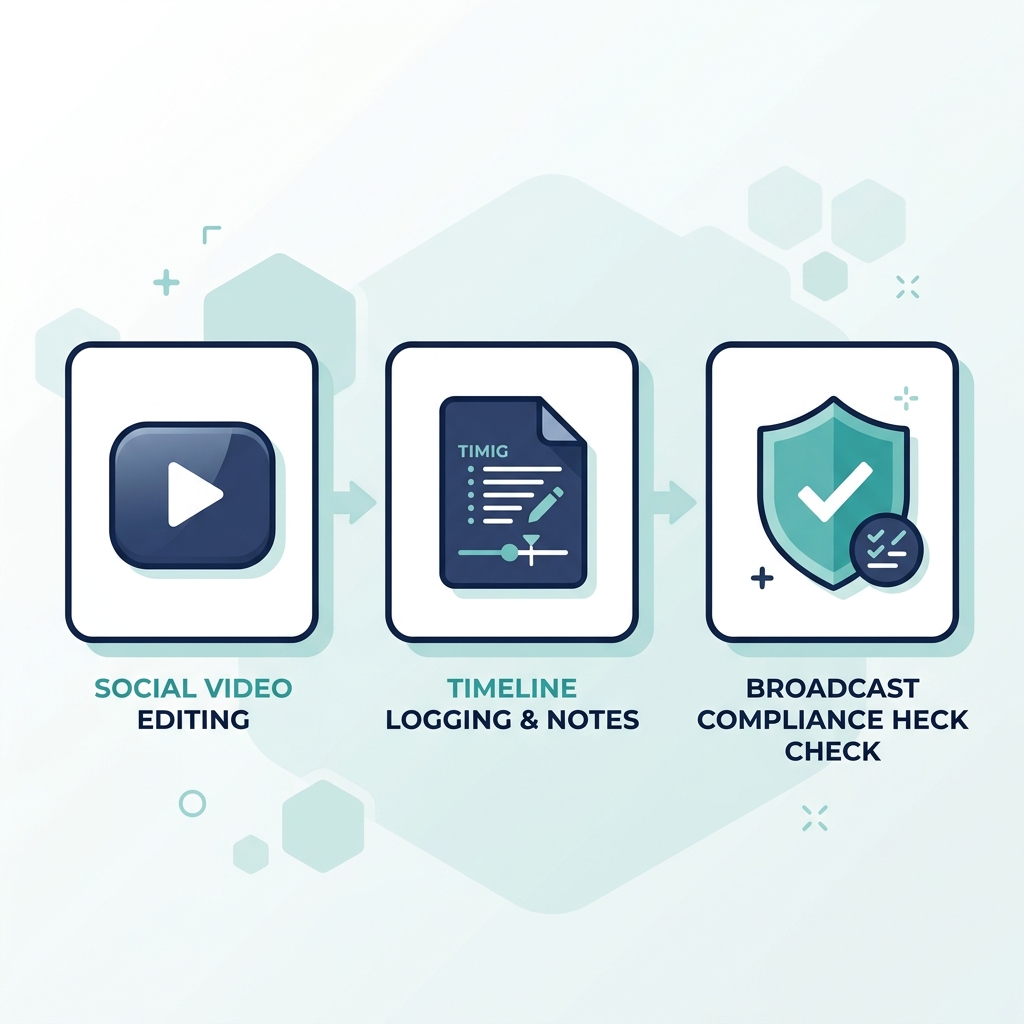
A caption editor does one of three very different jobs depending on your workflow. Knowing which job you need done is the decision that saves you the most time.
AI video caption generators take a video file as input and automatically produce styled, timed captions from the audio. They output captions embedded in video or as a downloadable file. Best fit: social creators, marketing teams, and agencies producing short-form content at volume.
Manual SRT/VTT file editors let you import an existing caption file (SRT, VTT, or similar), correct timing, fix errors, and export a clean file. They require a caption file to exist before you open the tool. Best fit: freelance editors, post-production teams, and anyone delivering caption files to clients or platforms.
Broadcast QC platforms validate caption files against delivery specifications: timing tolerances, reading speed, format encoding, and compliance rules. Best fit: broadcast teams, educational institutions, and compliance buyers.
The cost of choosing the wrong category is concrete. A marketing team posting daily Instagram Reels needs styled captions embedded in video output. That is an AI generator job. Buying a broadcast QC tool gives them a complex validation suite they will never use. A freelance editor delivering SRT files to a production company needs to import and time-correct an existing file. An AI generator that only embeds captions in video does not solve that problem at all.
Caption Editor Types at a Glance
| Tool Type | Best For | Key Capabilities | Price Range | Example Use Case |
|---|---|---|---|---|
| AI Video Caption Generator | Social creators, marketing teams, agencies | Auto-transcription, styled caption overlay, multi-platform export, bulk creation | Free tier to ~$50/month subscription | Captioning 30 Instagram Reels per week automatically |
| Manual SRT/VTT File Editor | Freelancers, post-production editors | Import/export SRT and VTT, timing correction, text editing, format conversion | Free tools to ~$30/month | Correcting and delivering SRT files for a YouTube channel |
| Broadcast QC Platform | Broadcast teams, institutions, compliance buyers | Format validation (SCC, TTML), timing QC, reading-speed checks, EIA-608/708 compliance | $100/month to enterprise pricing | Validating caption files before cable network delivery |
Caption File Formats: What SRT, VTT, SCC, and TTML Mean for Your Tool Choice
Format support is a go/no-go filter before any other evaluation criterion. A tool that cannot export the format your platform or client requires fails before any feature comparison matters.
Here is the minimum you need to know:
- SRT (SubRip Text): The most widely accepted format for web video. Simple, plain-text structure. Works across YouTube, Vimeo, most social platforms, and video players. The default for most file-based caption workflows.
- VTT (WebVTT): Designed for HTML5 video. Used by YouTube and browsers natively. Supports basic styling and positioning. Largely interchangeable with SRT for social delivery.
- SCC (Scenarist Closed Captions): The standard format for broadcast delivery in North America. Encodes EIA-608 closed caption data. Required for many cable and broadcast submissions. Not produced by most AI generators.
- TTML (Timed Text Markup Language): Used in streaming platforms and accessibility-compliant delivery. Supports rich formatting and is required by some OTT platforms and accessibility workflows.
The practical implication: YouTube accepts SRT and VTT. A social creator does not need SCC support and should not pay for it. A broadcaster delivering to a cable network typically requires SCC, which an AI generator that only exports SRT will not produce. That mismatch ends the evaluation before it starts.
For format-specific implementation detail, the caption format implementation guide covers each format with platform-by-platform context.
AI Captioning vs. Manual Editing: Accuracy, Tradeoffs, and When to Use Each
AI captioning is a speed tool, not an accuracy guarantee. Almost all professional use requires some level of human review. The question is how much review your context demands.
AI caption errors are predictable. They cluster around: accents and regional dialects, technical or industry-specific jargon, overlapping or fast speech, and low-quality audio recordings. Research on AI transcription accuracy confirms that error rates rise sharply under these conditions, and the errors are often contextually plausible, making them easy to miss on a quick scan.
When AI-only output is acceptable: social video where a misheard word is tolerable, high-volume content where review time is the hard constraint, and content reviewed by the creator before publishing.
When manual review is required: client deliverables, broadcast submissions, accessibility compliance review, and any content where caption errors damage credibility or create liability. A podcast clip posted to Instagram can tolerate a misheard word more easily than a corporate compliance training video.
For deeper accuracy benchmarks and tool-specific evaluation criteria, see how AI caption accuracy affects tool selection.
AI vs. Manual vs. Hybrid: Honest Tradeoffs
AI-Only Captioning
Pros:
- Fast at any volume
- Low per-video cost
- Scalable without added headcount
Cons:
- Accuracy gaps with accents, jargon, and overlapping speech
- Requires review before publishing in professional contexts
- Not suitable for compliance delivery by default
Manual-Only Captioning
Pros:
- Highest possible accuracy
- Full control over timing and text
- Meets professional delivery standards when done carefully
Cons:
- 5 to 10 minutes per video is a hard cost floor
- Completely unscalable at volume
- Labor-intensive for anything beyond occasional use
Hybrid (AI + Human Review)
Pros:
- Speed of automation with accuracy of targeted review
- Reduces the manual workload to correction rather than transcription
- Practical middle ground for most professional contexts
Cons:
- Requires a tool or workflow that supports both generation and editing
- Review quality depends on the reviewer, not the tool
The hybrid approach is the practical answer for most professional workflows. AI handles 80% of the effort; human review catches the errors that matter.
How to Evaluate a Caption Editor: Eight Criteria That Actually Matter
Most buyers evaluate caption editors in the wrong order. They compare features before confirming use-case fit and format compatibility. Those two filters eliminate most wrong choices before any other evaluation is needed.
1. Use-case fit first. Does this tool actually match your workflow category? An AI generator and a file editor are not interchangeable. Confirm category fit before anything else.
2. Format support against your delivery requirement. Verify the specific formats you need are in the export list. "Multiple formats" on a product page does not mean SCC or TTML support. Check explicitly.
3. AI accuracy and language support. Ask what languages are supported natively and how the tool performs with your content type. Demos with clean English audio do not predict performance with accented speech or technical jargon.
4. Pricing model relative to your volume. Per-minute billing versus flat subscription matters very differently at 10 videos per month versus 300. A creator publishing 300 short-form videos per month pays a very different effective rate than a freelancer delivering 10 long-form SRT files. Compare GotReach's pricing tiers to see how subscription structure maps to volume.
5. Platform and OS compatibility. Web-based tools work anywhere; desktop tools (Mac, Windows, Linux) may not. Confirm before trialing.
6. QC and error-detection features. For professional or broadcast delivery, look for tools that flag timing errors, reading-speed violations, or format encoding issues automatically.
7. Integration with your publishing or editing tools. A caption tool that requires manual export and re-upload adds friction at the end of every video. Tools that connect to your publishing workflow save that step repeatedly.
8. Compliance feature support. If your captions need to meet FCC or WCAG 2.1 standards, verify this explicitly before any trial. Compliance is not assumed.
Before You Commit to a Caption Editor, Check These Eight Things
- Does this tool handle my primary use case: social video automation, file-based SRT/VTT editing, or broadcast/compliance QC?
- Does it export in the specific format my platform or client requires (SRT, VTT, SCC, TTML)?
- How does AI accuracy perform with my content type: accents, industry jargon, overlapping speakers?
- Does the pricing model match my volume: per-minute, subscription, or free tier?
- Is it compatible with my OS and editing environment: web, Mac, Windows, or Linux?
- Does it include QC or error-detection features if my workflow requires professional delivery?
- Does it integrate with my publishing platforms to eliminate manual re-upload steps?
- If compliance matters, does it explicitly support FCC or WCAG 2.1 requirements?
Accessibility and Compliance: What Caption Editors Must Support for FCC, WCAG, and ADA
Compliance is not a feature. It is a category filter. AI generators are not compliance tools by default. Institutional and broadcast buyers need to verify format and QC support before any trial begins.
Three standards govern most captioning compliance requirements in the U.S.:
FCC captioning rules apply to broadcast video programming. The FCC's closed captioning requirements cover caption quality, timing, accuracy, placement, and completeness for television programming distributed in the U.S. Tools must support SCC or equivalent broadcast formats to meet these requirements.
WCAG 2.1 Success Criterion 1.2 applies to web and digital video accessibility. The WCAG 2.1 caption guidelines require captions for all prerecorded audio content in synchronized media. Compliance requires accurate, synchronized captions with proper non-speech audio cues. An AI social captioning tool does not meet this bar by default.
ADA Title III applies to public accommodations, including digital media and online services. An online university publishing course video under ADA Title III must caption all audio content using a tool that can produce WCAG 2.1-compliant output.
What compliance-relevant features to look for in a caption editor:
- Support for closed captioning formats: SCC, EIA-608, and EIA-708 encoding
- Timing accuracy controls: frame-accurate sync and adjustable reading-speed limits
- Positioning controls: ability to move captions to avoid obscuring on-screen text or graphics
- QC validation: automated checks for words-per-minute limits and missing non-speech cues
- Export as a verified, standards-compliant file rather than embedded open captions
Common compliance mistakes that tooling can prevent: captions that exceed readable words-per-minute thresholds, auto-positioning that covers on-screen text, and missing captions for sound effects or speaker identification required by the standard.
Compliance Checklist: What to Verify Before Choosing a Caption Editor for Regulated Use
- Does the tool export SCC, TTML, or another format required for your delivery specification?
- Does it support EIA-608 and EIA-708 encoding for broadcast closed captions?
- Can you set or limit caption reading speed to meet FCC or WCAG guidelines?
- Does it include positioning controls to prevent caption overlap with on-screen content?
- Does it flag or correct timing errors and sync failures automatically?
- Does it produce captions for non-speech audio cues (sound effects, speaker identification)?
- Does the vendor confirm WCAG 2.1 or FCC compliance in their documentation, not just marketing copy?
The Scale Problem: Why Social Creators and Agencies Outgrow Manual Caption Editors
At 5 to 10 minutes per video, manual captioning sounds manageable until you run the numbers. Thirty videos per month equals 2.5 to 5 hours of captioning work before any other editing is done. At 100 videos per month, that is a part-time job. At 300, it is more than a full work week spent on a single task.
There is also an algorithmic consequence that the math alone misses. Inconsistent posting cadence, caused by slow editing and captioning workflows, costs creators momentum and audience growth. The bottleneck is not just time. It is the ability to show up consistently.
GotReach is built for this use case: the social creator and marketing agency captioning at volume. From a single idea, GotReach produces up to 300 captioned videos in approximately 30 minutes, distributed across seven platforms from one centralized workflow. At 300 videos per month, a manual captioning tool requires 25 to 50 hours of editing time. GotReach produces the same output in about 30 minutes.
For agencies managing multiple clients, GotReach's enterprise tier provides centralized multi-client management and bulk content delivery without additional headcount. One workflow handles creation, captioning, scheduling, and publishing across accounts.
The creator's voice stays theirs. AI handles the editing and scheduling. What GotReach does not do is replace the ideas, the personality, or the authenticity that make content worth watching. Scale without the bottleneck is the outcome. The creator stays focused on showing up.
See how GotReach helps businesses and people create and publish more, and start your free 30-day trial to test the output at your actual volume.
Frequently Asked Questions
What is the difference between a caption editor and a subtitle editor?
In practice, the terms are often used interchangeably. The technical distinction: captions are intended for viewers who cannot hear the audio (they include non-speech cues like [music] or [applause]); subtitles are intended for viewers who can hear but do not understand the language. Most tools handle both. The workflow and format requirements are identical for most use cases.
Can I edit an existing SRT or VTT file without re-uploading my video?
Yes, with a manual SRT/VTT file editor. These tools import the caption file directly and let you edit timing, correct text, and export a clean file. You do not need the original video in the editor. AI video generators typically require the video file and produce captions from audio, not from an existing caption file.
How accurate are AI-generated captions, and do I still need to review them?
AI caption accuracy varies significantly by content type. Clean audio with standard speech in a supported language produces high accuracy. Accents, industry jargon, overlapping speakers, and low-quality audio produce more errors. For social video, minor errors are often tolerable if you review before publishing. For client deliverables, broadcast submissions, or compliance contexts, human review is not optional.
What caption format does YouTube require?
YouTube accepts SRT and VTT files for manual caption upload and also auto-generates captions from video audio. SRT is the most widely used format for YouTube uploads. You do not need SCC, TTML, or broadcast-specific formats for YouTube delivery.
Do I need caption editing software to comply with ADA or WCAG accessibility requirements?
ADA Title III and WCAG 2.1 Success Criterion 1.2 require accurate, synchronized captions for prerecorded audio content. The tool you need depends on your delivery format. For web video, a tool that produces clean, timed captions with non-speech audio cues may be sufficient. For broadcast or institutional delivery, you may need a tool that supports specific closed captioning formats and QC validation. An AI social captioning generator does not meet compliance requirements by default.
What is the difference between open captions and closed captions, and does it affect which editor I need?
Open captions are burned into the video and always visible. Closed captions are a separate data track that viewers can toggle on or off. For social video, open captions embedded in the video file are standard. For broadcast and accessibility compliance, closed captions in a supported format (SCC, 608/708) are required. AI video generators typically produce open captions. Manual file editors and broadcast QC tools handle closed caption formats. Knowing which your delivery context requires determines your tool category.
Is professional captioning software worth the cost for a freelancer or small team?
For freelancers delivering SRT or VTT files to clients, a mid-tier manual editor (or a free option like a browser-based SRT editor) is often fully adequate. Professional broadcast QC software is priced for teams with compliance requirements and delivers features most freelancers will not use. Evaluate based on what your clients actually require at delivery, not on feature lists.
Choose Your Category First, Then Your Tool
The caption editor decision is not primarily a feature comparison. It is a category decision. AI generator, manual file editor, or broadcast QC platform: each solves a different problem for a different workflow. Format support eliminates tools before accuracy or pricing matter. Compliance requirements eliminate tool categories before individual tools matter.
If your workflow is social video creation at any meaningful volume, the manual approach is a ceiling, not a floor. GotReach produces up to 300 captioned videos in about 30 minutes across seven platforms, with a free tier that covers up to 30 videos per month with no watermarks and one connected social account.
Start your free 30-day trial and see what your actual output looks like when captioning is no longer the bottleneck.