
Caption Editing Software: A Buyer's Framework for Choosing the Right Tool
You searched for caption editing software and got product pages. Every result called itself the most accurate, the easiest to use, the best for creators. None of them told you what the free tier actually includes, which export formats you get without paying, or whether the tool even fits how you work.
This article does something different. It compares tool categories, not just feature lists, and surfaces what free tiers actually deliver before the paywall hits. The goal is a framework you can apply to any tool you evaluate, not a ranked list that goes stale in six months.
One quick note on terminology: captions and subtitles are related but distinct. For the full breakdown, see the difference between captions and subtitles. This article treats them as the same workflow category and moves on.
Scope: mobile apps, browser-based tools, and desktop software. Each is a meaningfully different category with different strengths and different ceilings.
Key Takeaways
- Caption editing software divides into three platform types with real tradeoffs. Picking the wrong platform type cannot be fixed with features.
- Accuracy claims are largely self-reported. Test on your own audio before subscribing.
- Free tiers typically include watermarks, minute caps, or processing throttles. Know the real limits before signing up.
- Export format support (SRT, VTT, hardcoded) determines whether a tool works for your publishing destination.
- For creators producing at scale, single-video caption tools become a bottleneck. A full automation platform resolves what caption-only software cannot.
What Caption Editing Software Actually Does (And What It Doesn't)
Caption editing covers five core functions: auto-generating captions from audio, manually correcting errors, adjusting timing sync, styling the visual output, and exporting in a usable format. That is the complete workflow for most caption-only needs.
Full video editors, by contrast, include cuts, transitions, color grading, and production features that go well beyond captioning. A compliance officer who needs ADA-ready SRT files for a corporate LMS does not need the same tool as someone cutting social clips from a phone. Evaluating tools by feature count alone misses the tradeoffs that actually determine fit.
The five dimensions that matter for comparison:
- Generation accuracy and what degrades it
- Manual editing controls including word-level correction and timing adjustment
- Export format support across SRT, VTT, TXT, and hardcoded video
- Styling and customization including fonts, colors, placement, and speaker-level control
- Language and translation support distinguishing transcription languages from translation output from dubbing
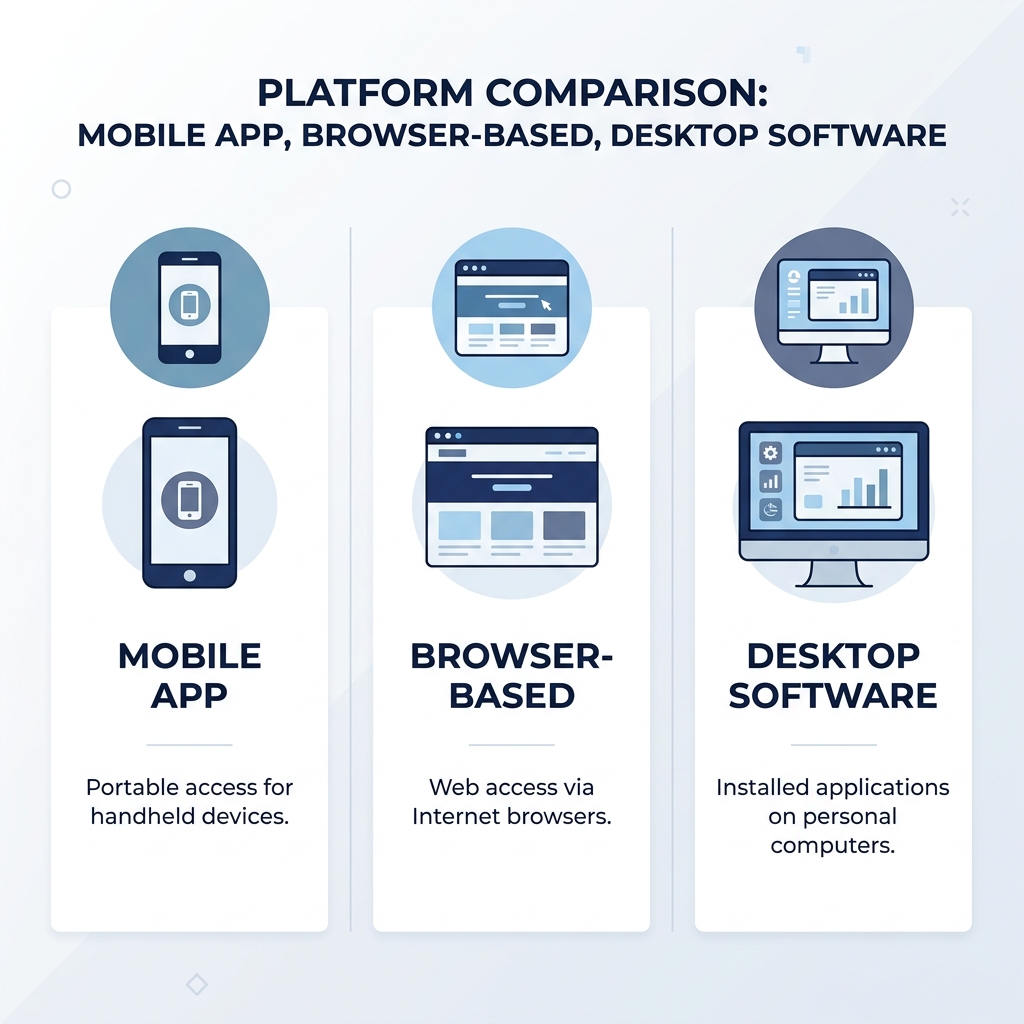
Platform type runs underneath all five. A mobile app, a browser-based tool, and a desktop application handle these dimensions differently, and the gap is not cosmetic.
Mobile App vs. Browser-Based vs. Desktop: Which Platform Type Fits Your Workflow
Platform type is a filtering decision that comes before feature comparison. A tool built for the wrong architecture cannot be worked around.
Mobile apps are fast and accessible for on-the-go creators. They handle short-form social content well. The tradeoffs: free tiers often throttle processing speed, limit export format control, and may restrict SRT or VTT download to paid plans. If you need a standalone caption file rather than a burned-in video, check before assuming.
Browser-based tools require no installation and work well for team collaboration. They are the most common free-tier entry point. The tradeoffs: exports frequently carry watermarks on free plans, monthly minute caps are standard, and the workflow depends entirely on a stable internet connection. The free experience is often designed to surface the paywall quickly.
Desktop software offers the strongest support for professional workflows requiring offline use, advanced format control, high-volume processing, or LMS-compatible exports. The tradeoffs: steeper learning curve and typically no meaningful free tier. If you need batch SRT exports for a corporate training library, desktop is usually the right category. If you are editing one video on your phone, it is the wrong one.
| Platform Type | Accuracy Control | Export Flexibility | Free Tier Reality | Collaboration | Offline Use | Best For |
|---|---|---|---|---|---|---|
| Mobile App | Moderate; dependent on upload quality | Limited on free plans; SRT often paywalled | Common minute caps and processing throttles | Limited | Partial; may require upload | Short-form social creators, on-the-go editing |
| Browser-Based | Moderate; stable across devices | Watermarks common on free exports | Watermarks and minute caps standard | Strong; shared workspaces available | No; internet required | Teams, collaboration, free-tier entry point |
| Desktop Software | Strongest; supports manual correction depth | Full format control; SRT, VTT, hardcoded | Rarely meaningful; usually paid from start | Limited without add-ons | Yes; full offline capability | Professional workflows, LMS export, compliance |
Understanding Caption Accuracy: What '99% Accurate' Actually Means
Every caption tool in this category claims high accuracy. Almost none of those figures are benchmarked against a standard test set. They are self-reported, often measured against clean studio audio with a single English-speaking presenter, and they should be treated as marketing positioning rather than specifications.
What actually degrades accuracy:
- Background noise competes with the primary audio signal
- Non-standard accents and regional speech patterns differ from training data
- Technical vocabulary, brand names, and proper nouns are rarely in a tool's language model
- Multiple overlapping speakers create attribution errors in addition to transcription errors
A podcast with two hosts discussing industry jargon will degrade most auto-generation tools noticeably. The same tool may perform well on a single-speaker tutorial recorded in a quiet room. The audio quality gap between these two scenarios matters more than the accuracy percentage printed on a product page.
When accuracy is imperfect, the editing controls determine whether the tool is usable or just decorative. Word-level correction, timing adjustment, and speaker-label editing are the difference between a functional editor and a display-only viewer. For deeper evaluation methodology on this specific question, see how accuracy affects caption tool selection.
Test caption accuracy before subscribing:
- Upload a real sample of your own audio, not a clean demo clip the tool provides
- Include at least one speaker with a non-standard accent if that reflects your actual content
- Include at least 30 seconds with technical vocabulary, brand names, or proper nouns
- Count the errors per minute of transcript output, not per hour
- Confirm the editor lets you correct at the word level, not just the line level
- Export the corrected version and verify the timing sync held through editing
Key Features to Compare: The Evaluation Framework
The features that differentiate caption editing tools only matter when they are tied to a real decision. Here is what each dimension actually means in practice.
Export formats determine compatibility with your publishing destination. SRT (SubRip Text) is the most universally accepted subtitle format and works across most video platforms. VTT (WebVTT) is required for web-based video players and browser environments; the W3C WebVTT specification defines the standard. Hardcoded captions are burned into the video file itself and cannot be toggled off by the viewer. Each serves a different purpose, and a tool that only exports one format may not fit your platform.
Styling and customization matter for branded content and accessibility. Font selection, color, placement, animation, and per-speaker styling are not available at the same depth across all tools. A social creator building a recognizable visual identity needs more control than someone generating captions for internal training.
Language and translation support covers three distinct capabilities that are often bundled under one marketing claim: auto-generation language support (how many input languages a tool can transcribe), translation output (producing captions in a second language), and dubbing (replacing the audio track with a new-language voice). These are different products. A tool that generates in 40 languages may not translate, and one that translates may not dub.
Pricing and free-tier realities are the category's most obscured dimension. The three most common free-tier restrictions are watermarked video exports, monthly minute caps (commonly 30 to 120 minutes of audio processed), and processing throttles that slow turnaround on free accounts. Most product pages do not surface these limits clearly.
Team and collaboration features including shared workspaces, brand kits, and multi-user access matter for agencies and organizations managing multiple content streams. These are rarely available on free tiers.
Accessibility compliance readiness is a purchasing requirement for institutional buyers. WCAG 2.1 captioning standards and Section 508 requirements apply to digital content for federal agencies and many funded institutions. Vague vendor language about being accessible is not a compliance guarantee. Accurate SRT or VTT export combined with manual correction capability is the minimum requirement. ADA compliance for video content follows the same logic.
| Tool Category | Accuracy Claim Type | Export Formats | Free Tier Real Limits | Language Support | Approximate Pricing | Best For |
|---|---|---|---|---|---|---|
| Mobile App | Self-reported; variable by audio | MP4 hardcoded standard; SRT often paid | Minute caps and processing throttles common | Transcription in major languages; translation limited | Free tier with limits; pro from ~$10-20/mo | Social creators, vertical video, quick edits |
| Browser-Based | Self-reported; marketed as high | SRT and VTT available; watermark on free exports | Watermarks; 30-120 min/month caps | Broader transcription support; translation varies | Free with watermark; pro from ~$15-30/mo | Teams, collaboration, free-tier evaluation |
| Desktop Software | Self-reported; can support manual correction | Full format control: SRT, VTT, TXT, hardcoded | Rarely free; trial periods standard | Strong transcription; translation add-on | Typically $30-100+/mo or perpetual license | Professional, LMS export, compliance workflows |
| Full Automation Platform (e.g., GotReach) | Self-reported; bulk output at scale | Captions embedded in published video output | Free tier: up to 30 videos/month, no watermarks | Bulk social output; verify language support directly at gotreach.com | Free tier available; enterprise pricing available | High-volume creators and agencies at scale |
Matching Caption Editing Software to Your Use Case
There is no single best caption editing tool. There is a best tool for your situation. The section above gave you the criteria. Here is how to apply them.
Social media creators producing short-form content should prioritize mobile availability, speed, and style presets for vertical video. Caption-only tools handle this well at low volume. At 10 or more videos per week, the single-video editing workflow becomes the constraint. Each video at 5 to 10 minutes of manual editing adds up to hours per week before publishing begins. For creators building volume, turning long-form video into short clips through a repurposing workflow can replace hours of per-video editing with a single session output.
YouTube and long-form video producers should prioritize transcription accuracy, SRT export, timing correction controls, and translation support for non-English audiences. Browser-based or desktop tools fit this workflow better than mobile-first apps.
E-learning and training teams need multi-speaker detection, accurate SRT or VTT export, and confirmed LMS compatibility. Accuracy errors in training content undermine the content's credibility in ways that are difficult to recover from. Desktop or browser-based tools with manual correction depth are the right category.
Accessibility and compliance teams should treat SRT and VTT export, manual correction capability, and documented compliance readiness as non-negotiable filters. WCAG 2.1 and Section 508 are documentation requirements, not preferences. A tool that auto-generates but does not allow precise manual correction is not adequate for compliance purposes.
High-volume creators and agencies face a different problem than the categories above. At 300 videos in a session, the math on single-video caption editors breaks the workflow entirely. Five to ten minutes per video is 25 to 50 hours of editing per 300 videos. GotReach is not a caption-only tool. It is built for creators who need volume: up to 300 videos in approximately 30 minutes from a single idea, distributed across seven social platforms from one workflow. GotReach Enterprise provides centralized control for agencies managing multiple client accounts and content calendars. This is where the question stops being which caption editor and starts being why you are captioning one video at a time at all.
For deeper creator-type segmentation beyond what this section covers, the right tool depends on matching your output volume and platform mix to the category that fits — not on finding a better caption editor within the wrong category.
| Use Case | Recommended Tool Category | Why It Fits | Key Feature to Prioritize |
|---|---|---|---|
| Social Creator (short-form) | Mobile App or Full Automation Platform | Speed and accessibility for vertical video; automation at volume | Style presets, vertical format, bulk output |
| YouTube / Long-Form | Browser-Based or Desktop | Accuracy and SRT export for long content | SRT export, timing correction, translation support |
| E-Learning / Training | Desktop or Browser-Based | Multi-speaker detection and LMS export accuracy | SRT/VTT export, manual correction depth |
| Accessibility / Compliance | Desktop or Browser-Based | Manual correction and documented format compliance | SRT/VTT download, word-level editing |
| High-Volume Creator or Agency | Full Automation Platform (GotReach) | Single-video tools cannot match the throughput required | Bulk video creation, multi-platform distribution |
Pricing and Free Tier Realities: What You Actually Get Before the Paywall
Most free tiers in this category are designed to surface the paywall, not to deliver complete value. The gap between what the marketing page implies and what the free plan delivers is where most buyers get surprised.
The three most common upgrade triggers:
- Watermark-free export. Free plans frequently burn a branding watermark into the exported video. Removing it requires a paid subscription.
- Minute or video limits. Monthly caps of 30 to 120 minutes of processed audio are standard. Exceeding the cap means waiting until the next billing cycle or upgrading.
- SRT or VTT download. Some tools restrict caption file export to paid plans entirely. In-app playback is available; a downloadable file is not.
Typical pricing tier structure across the category runs from a restricted free tier through an individual pro plan (monthly or annual) to a team or enterprise tier. Specific pricing changes frequently enough that dollar figures in this article would go stale before the next review. Check current pricing directly on each tool's page.
One meaningful exception in the free-tier comparison: GotReach's free version supports up to 30 videos per month with one connected social account and no watermarks on published output. For a high-volume creator evaluating free-tier options, that is a meaningfully different starting point than a 30-minute audio cap with watermarked exports.
Before subscribing to any caption editing tool, verify:
- Does the free tier export video without a watermark?
- Is SRT or VTT download available on the free plan, or only on paid tiers?
- What is the monthly minute or video cap, and what happens when you hit it?
- Does processing speed change on a free account versus a paid one?
- Are team features, brand kit, or collaboration tools available at the individual tier or only at team pricing?
- Can you correct captions at the word level and re-export the corrected file on the free plan?
Ready to Escape the Single-Video Bottleneck?
If you are producing content at volume, single-video caption editors are not a workflow problem you solve by finding a better caption editor. The constraint is throughput, not features.
GotReach is built for that scenario: 300 videos in approximately 30 minutes, distributed across seven platforms, from one workflow. The free tier supports 30 videos per month with no watermarks. Start your 30-day free trial today and see what your output looks like when the bottleneck is gone. See how GotReach helps businesses and people create and publish more.
Frequently Asked Questions
What is the difference between captions and subtitles, and does caption editing software handle both?
Captions are designed for viewers who cannot hear the audio and include non-speech sounds like music cues and sound effects. Subtitles assume the viewer can hear but does not understand the language. Most caption editing software handles both workflows, though the distinction matters for accessibility compliance purposes. For the full breakdown, see the captions vs. subtitles guide.
Which caption editing software works best for YouTube videos?
For YouTube, prioritize SRT export, transcription accuracy on your specific audio type, and timing correction controls. Browser-based tools tend to offer the best balance of accuracy and export flexibility for long-form content. Test on a real sample of your own content before committing to any tool.
Can I edit captions in SRT format and export them separately from the video?
Yes, most browser-based and desktop tools support SRT export as a standalone file separate from the video. Mobile apps frequently restrict SRT download to paid plans. Verify this before signing up for a free tier if a standalone caption file is your required output.
Is free caption editing software accurate enough, or do I need a paid tool?
Accuracy does not scale directly with price. It degrades based on audio quality, accent, background noise, and technical vocabulary regardless of whether you are on a free or paid plan. The more meaningful question is whether the free tier's editing controls let you correct errors efficiently and export a corrected file without restrictions.
What caption editing software is best for accessibility and ADA compliance?
For WCAG 2.1 and Section 508 compliance, you need accurate SRT or VTT export and the ability to manually correct errors at the word level. Desktop or browser-based tools with full export format control are the right category. No vendor's marketing claim about accessibility substitutes for verifying that the export meets the specific format your compliance documentation requires.
Do I need caption editing software or will my video platform's auto-captions work?
Platform auto-captions (YouTube, for example) are a starting point, not a finished product. They frequently mishandle accents, proper nouns, and overlapping speakers. They also cannot be exported as standalone SRT files for use on other platforms. If your content has accuracy requirements, compliance obligations, or multi-platform distribution needs, dedicated caption editing software gives you more control over the output.
What does '99% accuracy' actually mean for auto-generated captions?
It typically means the tool measured accuracy on a clean audio sample, likely with a single English-speaking presenter in a controlled environment. It is a self-reported figure, not a benchmarked specification. On your actual content, with your audio quality and vocabulary, the result will differ. Test on a real sample before subscribing.
When does a free tier become insufficient and a paid plan become necessary?
The three most common triggers are needing watermark-free video exports, exceeding the monthly minute or video cap, and requiring a downloadable SRT or VTT file rather than in-app playback only. If any of these apply to your workflow from the start, factor the paid plan cost into your evaluation rather than assuming the free tier will cover you.