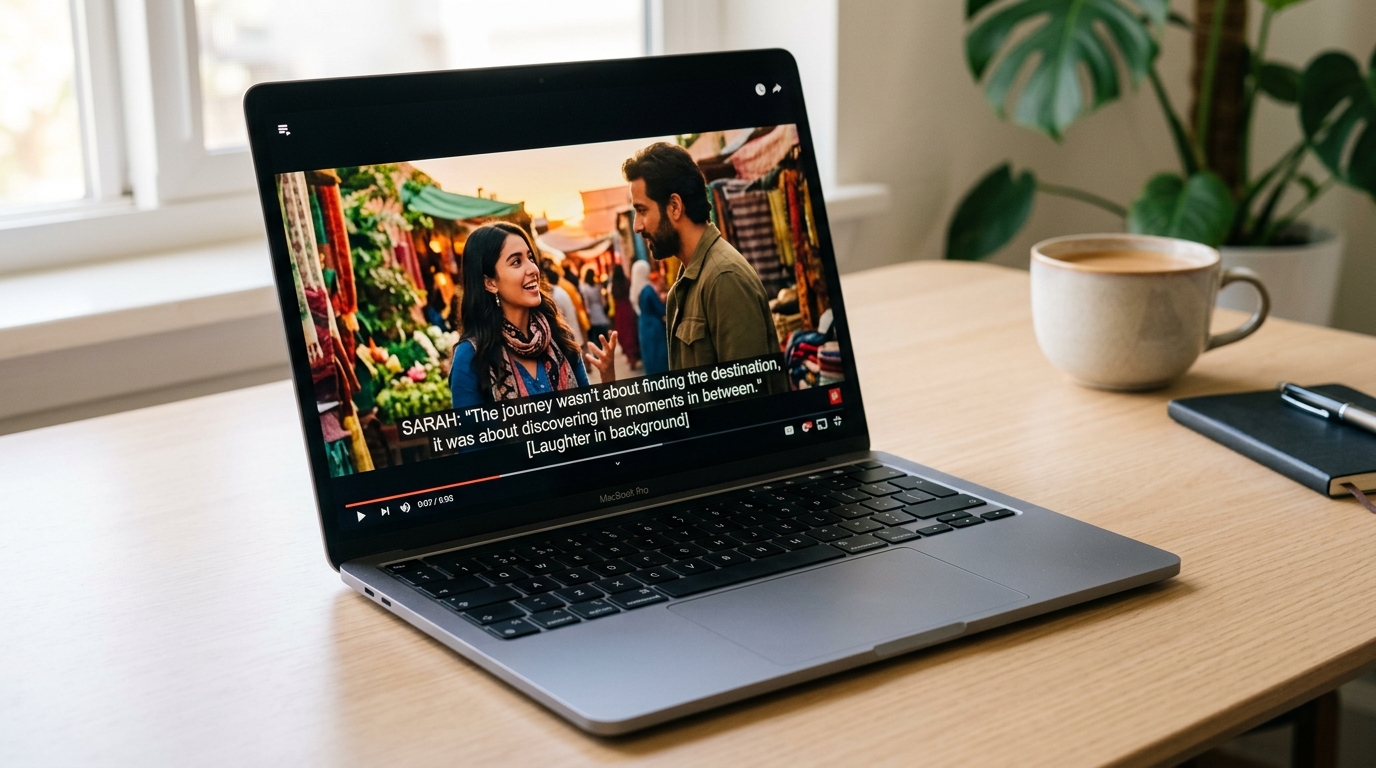
Captions, Subtitles, and SDH: What Each One Is and Which Your Video Actually Needs
Every video platform labels things differently. YouTube shows a CC toggle. Netflix lists "English [CC]" in a subtitles menu. TikTok has auto-captions. Instagram wants burned-in text. If you have been using "captions" and "subtitles" as if they mean the same thing, you are not alone — but the difference matters more than most creators realize, especially once compliance, platform behavior, or multilingual reach enters the picture. There is also a third format — SDH — that almost no one explains, even though it is the reason streaming platform labels are so confusing. By the end of this article, you will have a clear decision framework for choosing the right format for your video and your platform.
Key Takeaways
- Captions include all audio — dialogue, sound effects, music cues, and speaker labels — and are designed for viewers who cannot hear the audio.
- Subtitles include spoken dialogue only and are designed for hearing viewers who need language help, not audio access.
- SDH (Subtitles for the Deaf and Hard of Hearing) is a third distinct format that combines subtitle delivery with captions-style audio descriptions — used on streaming platforms like Netflix and Amazon.
- Closed captions are viewer-toggleable and required for ADA, FCC, and WCAG 2.1 compliance; open captions are burned into the video and always visible.
- Most creators publishing across multiple platforms need both captions and subtitles, just at different times and in different contexts.
What Captions and Subtitles Actually Are (And Why the Difference Matters)
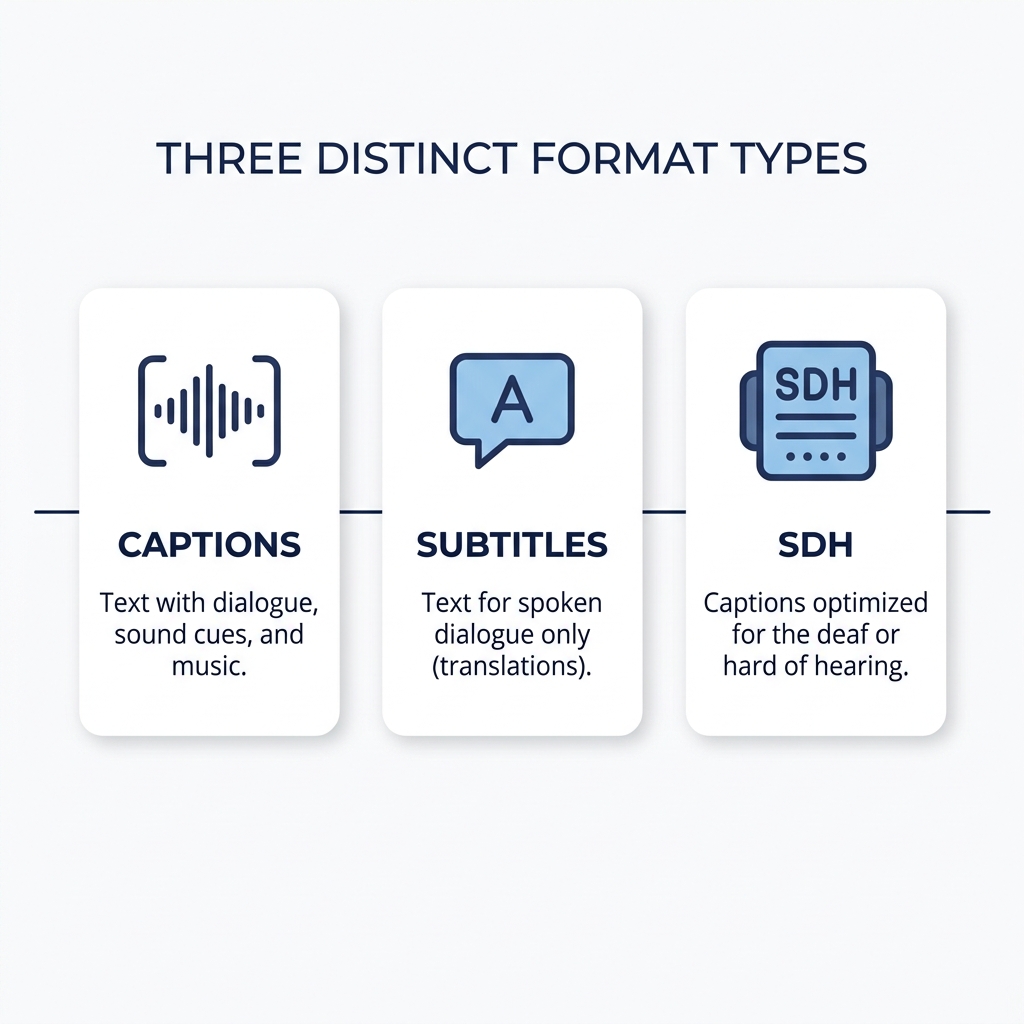
Captions are a transcription of everything audible in the video — dialogue, sound effects, music cues, and speaker labels — designed for viewers who cannot hear the audio.
Subtitles are a rendering of spoken dialogue only, in the same or a different language, designed for viewers who can hear the audio but need language help.
That one distinction — non-speech audio — is what separates them. Captions include it. Subtitles do not.
Both appear as on-screen text, which is exactly why the terms get used interchangeably. But they encode different information and serve different audiences. Conflating them means some viewers get a format that does not actually meet their needs.
Two examples that make it concrete:
- A film with English dialogue published for Spanish-speaking audiences needs subtitles. The same film published for deaf viewers needs captions — with [door slams] and [music swells] included.
- A TikTok video watched on mute needs captions, not subtitles. The viewer can theoretically hear but is choosing not to. Without sound-effect cues, they are missing audio context.
Three Formats You Need to Know: Captions, Subtitles, and SDH
Once you move past the two-term comparison, a third format appears — and it is the one making streaming platform labels so confusing.
Open captions are burned directly into the video file. They are always visible, with no viewer toggle. This is the standard approach for social media clips where platform CC toggles are unreliable or non-existent.
Closed captions are delivered as a separate file (SRT, VTT, or SCC format) that travels alongside the video. Viewers can turn them on or off. Closed captions are what ADA, FCC, and WCAG 2.1 compliance standards require.
SDH (Subtitles for the Deaf and Hard of Hearing) is delivered in subtitle format but includes everything captions include: sound effects, music cues, and speaker labels. Streaming platforms like Netflix use SDH because one text track can serve both deaf viewers and non-native speakers simultaneously. When Netflix shows "English [CC]" in its subtitle menu, that is SDH — not standard subtitles, and not identical to the closed captions broadcast TV uses.
SDH is the reason the terms feel especially chaotic on streaming platforms. It sits in a subtitle menu but functions like captions. Knowing its name makes the rest of the landscape readable.
Captions vs. Subtitles vs. SDH: Full Comparison
| Dimension | Captions | Subtitles | SDH |
|---|---|---|---|
| Primary audience | Deaf and hard of hearing viewers | Hearing viewers needing language help | Deaf and hard of hearing viewers plus multilingual viewers |
| Includes sound effects | Yes | No | Yes |
| Includes speaker labels | Yes | No | Yes |
| Viewer-toggleable | Closed captions yes; open captions no | Usually yes | Yes |
| Common use case | Broadcast, web video, social media | Film, streaming, international distribution | Streaming platforms (Netflix, Amazon) |
| Typical file format | SRT, VTT, SCC | SRT, VTT | SRT or VTT with extended metadata |
| Compliance relevance | ADA, FCC, WCAG 2.1 | Not a compliance substitute | Platform-dependent |
When to Use Captions, Subtitles, or SDH: A Clear Decision Framework
The answer is not "it depends." Platform, audience, and compliance obligation together point to a specific format. Here is how to map your situation to the right choice.
| Your situation | Use this format |
|---|---|
| Accessibility compliance required (ADA, FCC, WCAG) | Closed captions |
| Social media video where viewers watch without sound | Open captions (burned in) |
| Reaching a multilingual or international audience | Subtitles |
| Publishing to Netflix or a major streaming platform | SDH |
| Live broadcast or webinar | Live closed captions |
| YouTube or LinkedIn video | Closed captions via SRT or VTT file upload |
| TikTok or Instagram Reels | Open captions burned into the video |
| Content targeting both deaf viewers and non-native speakers | SDH |
One note worth making explicit: most creators publishing across multiple platforms need both closed captions and subtitles at different points. A YouTube video needs closed captions for accessibility compliance. The same content clipped for TikTok needs open captions burned in. The Spanish-language version needs subtitles. These are not competing choices — they are parallel decisions driven by platform and audience.
Once you have settled on your format, how to add subtitles to your video is the practical next step.
How Major Platforms Handle Captions and Subtitles Differently
Knowing the right format is only half the decision. Knowing whether your platform supports it determines your implementation path.
YouTube accepts SRT and VTT file uploads for closed captions and surfaces a CC toggle to viewers. Auto-captions are available but carry accuracy limitations that make them unreliable for compliance-sensitive content. For more on where AI-generated captions succeed and where they fall short, that post covers the nuances in depth.
TikTok has an in-app auto-caption feature but does not accept external caption file uploads. Creators who need reliable, accurate captions typically burn them in as open captions before uploading.
Instagram Reels offers limited native caption support. Burned-in open captions remain the most reliable workaround for creators who need consistent captioning across every post.
LinkedIn supports SRT file uploads for video posts. For professional content reaching compliance-sensitive audiences, this is the right path.
Broadcast and streaming platforms (TV networks, Netflix, Amazon) treat closed captions and SDH as compliance-driven standards, not optional enhancements.
A creator repurposing video content across YouTube, TikTok, and Instagram may need three different caption approaches for the same video. The platform drives the format, not the content itself.
Research from Sharethrough's muted video study confirms that a significant portion of social video is watched without sound across device types, which is the core driver behind open caption adoption for social creators.
Platform Caption Quick Reference
- YouTube: Closed captions via SRT or VTT upload; CC toggle available; auto-captions available but accuracy-limited
- TikTok: In-app auto-captions only; no external file upload; open captions burned in are the workaround
- Instagram Reels: Limited native captioning; burned-in open captions are most reliable
- LinkedIn: SRT file upload supported; closed captions available for professional video posts
- Netflix / Amazon / Streaming: SDH required; closed captions required; compliance-driven standards
- Broadcast TV: Closed captions required under FCC rules; SCC format standard
Compliance Basics: When Captions Are Legally Required
Compliance is not a vague concept. It is a named standard that applies based on who you are and where you publish. Here is what actually applies and to whom.
ADA (Americans with Disabilities Act): Requires accessible audio content for public accommodations. Closed captions satisfy this requirement for video content published by covered organizations.
FCC (Federal Communications Commission): Mandates closed captions for video programming distributed on television and some online video platforms. Applies to broadcasters and multichannel video programming distributors. See the FCC's captioning guidance for internet video for the specifics.
WCAG 2.1 Success Criterion 1.2.2: Requires captions for pre-recorded synchronized media published on the web. Relevant to any business publishing video on its website. The official W3C documentation for SC 1.2.2 is the authoritative source.
Section 508: Applies to US federal agencies and their contractors for digital content.
The single most important point: subtitles alone do not satisfy any of these standards. Only captions do.
Who Does Which Compliance Standard Apply To?
| Publisher type | Applicable standard |
|---|---|
| Business with a public-facing website publishing video | WCAG 2.1 SC 1.2.2 |
| Television broadcaster or cable network | FCC closed caption rules |
| Company offering video as a public accommodation | ADA |
| US federal agency or federal contractor | Section 508 |
| Streaming platform distributing to general public | FCC, ADA (context-dependent) |
| Individual creator with no institutional affiliation | WCAG 2.1 if website-published; platform rules otherwise |
Caption File Formats and How to Get Started
Choosing the right format and knowing which file type to produce are two different questions. Here is what matters in practice.
SRT (SubRip Text): Plain-text format with timestamps. Works on YouTube, LinkedIn, and most video players. The default starting point for most creators.
VTT (WebVTT): Web-native format with styling support. Preferred for HTML5 video players and web-embedded video.
SCC (Scenarist Closed Captions): Broadcast-standard format used for TV and streaming compliance contexts. Not needed unless you are distributing to broadcast or a platform that requires it.
Open captions require burning text directly into the video file, not uploading a sidecar file. This is a different workflow from closed captions and requires video editing at the source.
Manual captioning runs 5 to 10 minutes per video. A creator publishing 10 videos per week across three platforms faces 50 to 100 minutes of captioning work per week before editing anything else. At that volume, doing it manually video by video is not a sustainable workflow.
How to Get Captions on Your Video: Step by Step
- Decide which format your video needs: closed captions (toggleable), open captions (burned in), subtitles, or SDH.
- Choose the right file type for your platform: SRT for YouTube and LinkedIn, VTT for web embedding, burned-in for TikTok and Instagram.
- Generate your caption file. For closed captions, an AI caption generator produces SRT or VTT files automatically from your video audio.
- Review and edit for accuracy, especially for proper nouns, technical terms, and speaker changes.
- Upload the caption file to your platform (YouTube, LinkedIn) or burn it into the video file (TikTok, Instagram Reels).
- Check the output: toggle captions on and off, verify timing, and confirm sound effects and speaker labels appear correctly for captions and SDH.
For creators producing at volume, manual captioning at each step does not scale. GotReach automates captioning as part of a bulk video production workflow, handling up to 300 videos in approximately 30 minutes from a single idea. That is the difference between a 5-to-10-minute-per-video manual process and a workflow that removes the bottleneck entirely.
See how GotReach helps businesses and people create and publish more across every platform where format decisions multiply.
Frequently Asked Questions
What is the difference between captions and subtitles?
Captions transcribe all audio in a video, including dialogue, sound effects, music cues, and speaker labels. They are designed for viewers who cannot hear the audio. Subtitles transcribe spoken dialogue only and are designed for hearing viewers who need language help. The functional difference is non-speech audio: captions include it, subtitles do not.
What are SDH subtitles and how are they different from closed captions?
SDH stands for Subtitles for the Deaf and Hard of Hearing. It is delivered in subtitle format but includes sound effects and speaker labels, making it functionally similar to captions. Streaming platforms use SDH so one text track serves both deaf viewers and non-native speakers. Standard closed captions, as used in broadcast and web video, are a separate format with different technical encoding.
Do I need captions, subtitles, or both for my video?
It depends on your platform and audience. If you are publishing to YouTube or a website and need accessibility compliance, you need closed captions. If you are reaching a multilingual audience, you need subtitles. If you are posting to TikTok or Instagram Reels, burned-in open captions are the most reliable approach. Most creators publishing to multiple platforms need both formats at different times.
Are auto-generated captions on YouTube and TikTok accurate enough for compliance?
Generally, no. Platform auto-captions have known accuracy limitations, particularly with proper nouns, accents, and technical vocabulary. For legal or quality-sensitive contexts, auto-captions alone are not a reliable compliance solution. They can be a useful starting point for editing, but not an endpoint.
What caption file format does my platform require?
YouTube and LinkedIn accept SRT and VTT files. Most web-embedded video players prefer VTT. Broadcast and streaming compliance contexts typically require SCC. TikTok and Instagram do not accept external caption files, so burned-in open captions are the workaround.
Are captions legally required for online videos in the United States?
It depends on who you are and where you publish. Businesses with public-facing websites are covered by WCAG 2.1 SC 1.2.2 for pre-recorded video. Broadcasters and some online video distributors fall under FCC rules. Federal agencies and contractors fall under Section 508. Subtitles alone do not satisfy any of these standards.
What is the difference between open and closed captions?
Closed captions are delivered as a separate file and can be toggled on or off by the viewer. Open captions are burned directly into the video file and are always visible. Compliance standards require closed captions. Social media platforms that do not support caption file uploads make open captions the practical default.