AI Clipping Tools Explained: How They Work, What They Actually Cost, and Which One Fits Your Workflow
Every AI clipping tool page makes the same promise: upload your video, get publish-ready clips in minutes. The reality is more nuanced, and most product pages have no interest in telling you where the gap is.
This guide is different. It covers the technical pipeline step by step, sets honest expectations about output quality, and compares major tools across the criteria that actually drive the decision. If you already understand why turning long-form video into short social clips matters and are ready to evaluate how the tools actually work, start here.
Key Takeaways
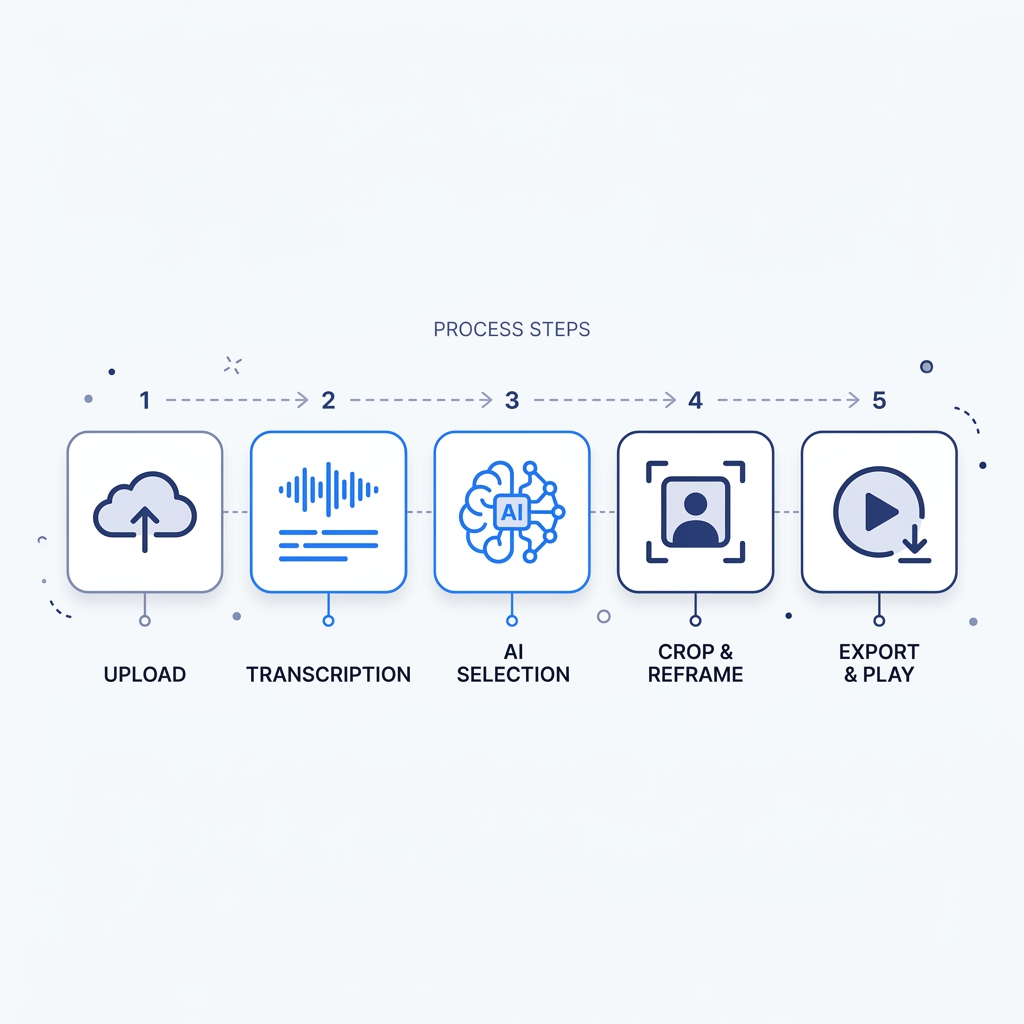
- AI clipping follows a five-step pipeline: upload, transcribe, LLM moment selection, reframe, render. Quality can break down at any stage.
- Expect roughly 30% of AI-generated clips to be publish-ready without editing. That is typical across tools, not a bug in any specific product.
- Monthly subscription price is not the right unit of comparison. Effective cost per hour of video processed tells you what you are actually paying.
- The best tool depends on your content type: podcasters, YouTube creators, livestreamers, and agencies have different bottlenecks and should weight criteria differently.
- Manual review of start and stop points is still required with every tool on the market today.
How AI Clipping Actually Works: The Five-Step Pipeline
Every AI clipping tool, regardless of brand, follows roughly the same process between "upload" and "here are your clips." Understanding each stage tells you where your specific content is most likely to cause problems.
1. Upload or ingest The tool accepts your video file, URL, or recording. Some tools support direct links from YouTube or Zoom; others require a local file upload. This step matters primarily for file size limits and processing speed.
2. Transcription Audio is converted to text using a speech recognition model. Many tools use a variant of OpenAI Whisper or a comparable open-source model. Transcription accuracy at this stage sets the ceiling for everything downstream: if the transcript is wrong, the moment selection will be wrong too. Accents, domain-specific terminology, background noise, and crosstalk all reduce accuracy on real-world audio.
3. LLM-based moment selection An LLM scans the transcript and scores segments by engagement potential: quotable moments, topic transitions, punchy exchanges, emotional peaks. This is where quality diverges most across tools. The model's training data, the prompt design behind it, and whether the tool allows you to customize the prompt all affect which moments get surfaced. A tool that selects moments well on interview content may perform poorly on narrative documentary audio because the scoring logic was tuned for a different content type.
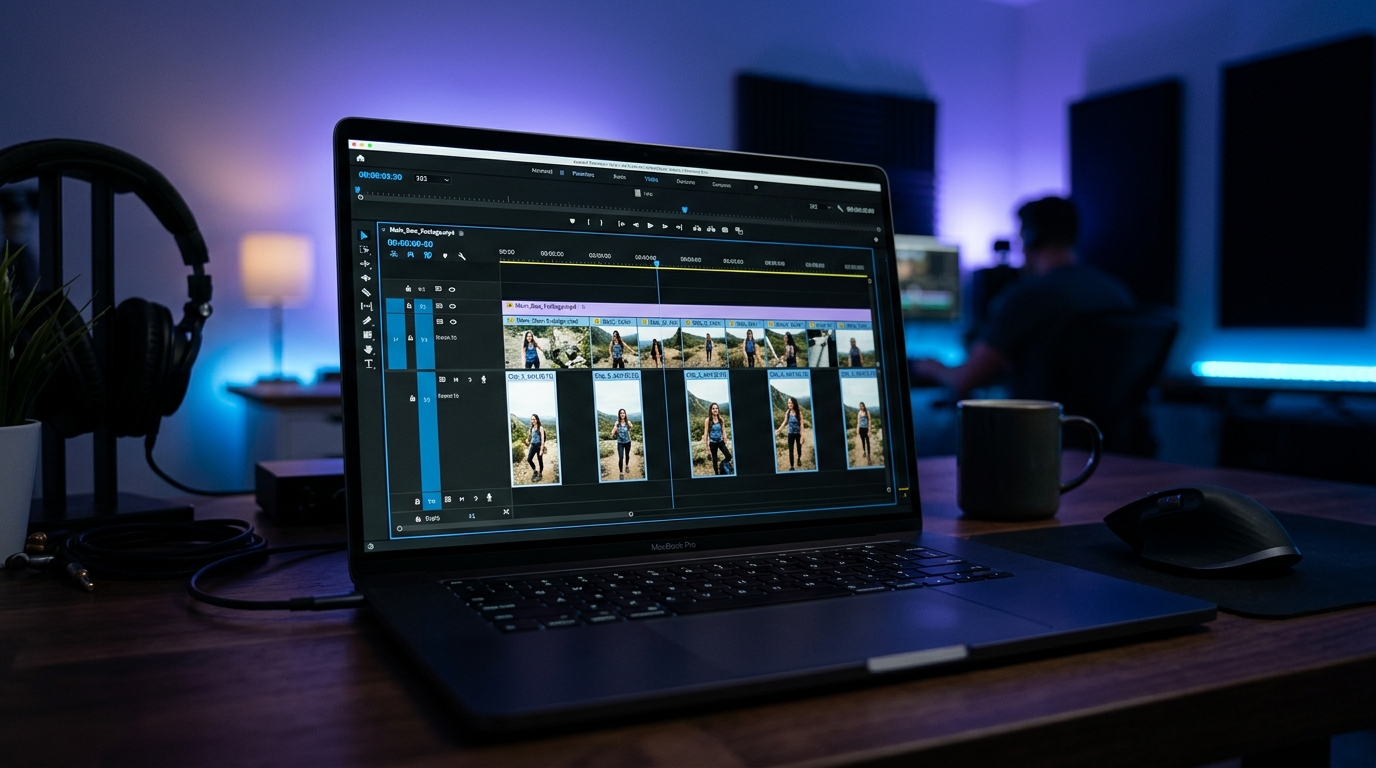
4. Face detection and reframing For vertical formats (TikTok, Reels, Shorts), the tool uses face detection and speaker tracking to reposition the original widescreen frame into a 9:16 crop. This works cleanly when one speaker is consistently on camera. It breaks down visibly on multi-speaker sequences where two people alternate, and it fails entirely on B-roll-heavy sections where there is no face to track.
5. Rendering with caption overlay The tool exports the clip with the reframed crop, auto-generated captions, and the chosen aspect ratio applied. Caption style and accuracy are both editable in most tools, but the default caption accuracy varies significantly depending on transcription quality from step two.
What AI Clipping Tools Do Well, and Where They Consistently Fail
Understanding where these tools break down before you look at any comparison table will save you from making a purchase based on the best-case demo.
Where AI clipping delivers reliably:
The strongest use case is long-form audio-led content: podcast episodes, YouTube interviews, and recorded webinars where a single speaker is consistently on camera and the audio is clean. A 60-minute podcast episode is close to the ideal input. The transcript is clean, the speaker is trackable, and the content naturally contains quotable moments.
Livestream highlight extraction is also solid for tools with real-time or near-real-time processing, provided the audio quality is reasonable.
The usable clip rate:
Expect roughly 30% of AI-generated clips to be publish-ready without editing. To put that in concrete terms: a 60-minute podcast episode might yield 20 AI-generated clip candidates. Six to seven will be strong enough to post without adjustment. The rest will need a trim, a better start point, or will simply be skipped. Research on AI-assisted video highlight selection supports the conclusion that automated systems still require human review to reach broadcast quality. This is the norm across the category, not a signal that any one tool is underperforming.
The reason the rate is not higher: LLM moment selection cannot reliably judge narrative arc, emotional pacing, or whether a moment lands without surrounding context. It scores transcripts, not viewer experience.
Where AI clipping consistently fails:
- B-roll-heavy video where there is no face for the detection model to track
- Multi-speaker crosstalk where reframing cannot choose a stable subject
- Non-English audio, where transcription accuracy drops and LLM moment scoring may reflect English-language training bias
- Content that depends on visual context (product demos, cooking videos, physical demonstrations) where the audio transcript does not represent the value
| Where AI Clipping Works Well | Where It Consistently Falls Short |
|---|---|
| Single-speaker podcast episodes | B-roll-heavy explainer or documentary video |
| Long YouTube interviews with clean audio | Multi-speaker crosstalk with rapid speaker switching |
| Recorded webinars and online course sessions | Non-English audio (transcription accuracy degrades) |
| Livestream highlight extraction | Visual-first content where audio carries little context |
| Talk-format content with consistent framing | Content requiring narrative or emotional arc judgment |
Naming these failure cases is not a reason to avoid AI clipping tools. It is the information you need to set realistic expectations and correct problems in minutes rather than hours.
AI Clipping Tool Comparison: How the Major Tools Actually Differ
Most tools in this category make nearly identical claims on their homepages. The real differences emerge in cost-per-use math, editing flexibility, and whether the tool was purpose-built for clipping or had clipping added as a secondary feature.
One distinction worth understanding before you look at any pricing page: tools like Descript and Riverside are recording and editing platforms that added AI clipping as a feature. OpusClip, Videotto, and WayinAI were built primarily as clipping tools. That distinction affects roadmap priority and how central clipping quality is to each product's core investment. See OpusClip's pricing page for a current example of how per-clip and per-hour credit models are structured.
For cost-per-hour math: take the monthly subscription price, divide by the included credit or hour limit, and you get the effective cost of processing one hour of video. That number is more meaningful than the headline plan price.
GotReach operates on a different architectural model. Rather than processing one long video to extract clips, it generates up to 300 videos in approximately 30 minutes from a single idea, automating the creation and scheduling across platforms in one workflow. For creators hitting a per-video bottleneck, that distinction matters significantly.
| Tool | Clip Quality Consistency | Effective Cost Per Hour of Video | Free Tier | Built-In Editing | Direct Social Publishing | Language Support | Best For |
|---|---|---|---|---|---|---|---|
| OpusClip | Consistent on interview content; variable on complex video | Moderate (credit-based; varies by plan) | Yes, with watermark and clip limits | Caption editing, trim | Yes, multi-platform | English-primary; limited multilingual | Solo creators, podcasters, YouTubers |
| Videotto | Variable; requires manual review for start/stop accuracy | Lower cost per clip on higher plans | Limited | Basic trim and caption edit | Limited | English-primary | Budget-conscious creators |
| WayinAI | Variable; strong on transcript-led content | Moderate | Yes | Caption editing | Limited | Multilingual support | Multilingual creators, global audiences |
| Kapwing | Variable; clipping is a secondary feature | Higher when used primarily for clipping | Yes, with watermark | Full editing suite | Yes | English-primary | Creators who need editing more than clipping |
| Descript | Consistent where transcript quality is high; platform-primary | Higher per-hour when used for clipping only | Yes, limited | Full text-based editing | Limited native publishing | English-primary | Creators already using Descript for editing |
| Riverside | Variable; built for recording, clipping is secondary | Higher per-hour for clipping-only use | Yes, limited | Basic | Limited | English-primary | Creators recording in Riverside already |
| GotReach | N/A (bulk creation from idea, not long-video parsing) | Up to 300 videos per session (~30 min); free tier: 30 videos/month, no watermarks | Yes, 30 videos/month | Automated AI editing | Yes, 7 platforms | See supported content types | Agencies, high-volume creators needing bulk output and scheduling |
For creators managing a content repurposing workflow across multiple channels, publishing integration is not a secondary criterion. It determines whether the tool eliminates a workflow step or just shifts it.
How to Choose the Right Tool for Your Content Type
There is no single best AI clipping tool. There is the best tool for your content type, your volume needs, and your tolerance for post-output editing. Here is where those criteria diverge by creator type.
Podcasters Single-speaker podcast episodes are the best-case input for any AI clipping tool. Prioritize transcription accuracy first (test on a real episode with your audio setup, not the demo), then multi-speaker handling if you run interview formats. Publishing integration is the second filter: if you are posting to multiple platforms, a tool that requires you to export and manually upload clips eliminates most of the time benefit.
YouTube creators High-volume YouTube channels need more than three or four clips per video to maintain meaningful multi-platform presence. Prioritize reframing quality on your specific video format (talking-head vs. screen share vs. mixed) and the number of clips the tool generates per run. If you produce videos for TikTok, Reels, or Shorts, platform-specific formatting and aspect ratio handling are non-negotiable criteria.
Livestreamers Delay between stream end and clip availability directly affects content relevance. Prioritize near-real-time or same-session processing. Platform-specific formatting matters here too, since livestream highlights often need different framing than pre-recorded content.
Agencies managing multiple clients A per-video tool that takes 5 to 10 minutes per clip compounds quickly across five client accounts. At even two videos per client per week, that is 50 to 100 minutes of per-clip processing time before any editing. GotReach Enterprise addresses this through centralized bulk creation: one session, multiple clients, up to 300 videos in approximately 30 minutes, with scheduling handled across seven platforms from a single workflow. That is a structurally different answer to the agency bottleneck.
Budget-conscious solo creators Do not pay for a plan until you have tested the free tier on a representative video from your own library, not the tool's sample. The quality gap between free and paid tiers varies significantly, and some tools restrict free-tier output in ways that make genuine evaluation impossible.
| Creator Type | Top Priority | Second Priority | Third Priority |
|---|---|---|---|
| Podcaster | Transcription accuracy on your audio | Multi-speaker handling | Publishing integration |
| YouTube creator | Reframing quality on your video format | Clips per video output volume | Platform-specific formatting |
| Livestreamer | Processing speed (near-real-time) | Platform formatting | Highlight detection accuracy |
| Agency | Bulk output volume and speed | Multi-client centralized control | Scheduling and publishing automation |
| Budget solo creator | Free tier output quality | Cost per usable clip | Caption editability |
How to Get Better Results from AI Clipping Tools
Regardless of which tool you choose, the same practical habits separate creators who get consistent value from the category and those who abandon their subscription after a month.
Review clips in output order. Most tools surface their highest-confidence picks first. The first five outputs in any session are usually the strongest candidates. Start your review there.
Always adjust start and stop points manually. This takes under a minute per clip and is the single highest-ROI editing action available. AI selection is good at identifying the right neighborhood of a good moment; it is less reliable at the exact sentence boundary. A clip that starts mid-breath or ends on a trailing thought loses credibility immediately.
Test caption accuracy on your actual audio. Do not trust any tool's stated accuracy percentage without running your own test. Accent, domain terminology, and background noise all affect real-world caption quality in ways that vendor benchmarks do not capture. Run a representative episode through the free tier and read the captions against the audio yourself.
Evaluate with a representative sample, not your best episode. Testing a tool on your cleanest, most on-topic episode overstates how it will perform on a typical week's content. Use a middle-of-the-road episode to get an honest read.
Use text-based editing when available. If the tool supports transcript-based clip trimming, use it. Editing from the transcript is faster than scrubbing through video and avoids re-exporting the full file for a minor start-point adjustment.
Pre-Publish Review Checklist
Before posting any AI-generated clip, verify:
- Does the clip start at a natural sentence or thought boundary, not mid-word or mid-breath?
- Does the clip end with a complete idea, not a trailing or unfinished sentence?
- Are captions accurate for your specific audio, including accents, terminology, and any crosstalk?
- Is the speaker framed correctly and stably for the full duration of the clip?
- Would a viewer who knows nothing about you understand this clip without any additional context?
What This Means for High-Volume Creators and Agencies
For solo creators processing one or two videos per week, the per-video tools covered in the comparison table are a reasonable fit. The bottleneck is manageable.
For agencies or creators publishing at scale, the per-video model becomes the constraint. If a tool requires 5 to 10 minutes of processing and review per clip, and you need 20 clips per week across five clients, you are spending two to three hours per week just on clip generation before editing begins.
GotReach is built for a different use case: bulk creation from a single idea rather than parsing one long video at a time. Up to 300 videos in approximately 30 minutes, with automated scheduling and distribution across seven platforms from one workflow. The free tier includes 30 videos per month with one connected social account and no watermarks, which gives agency teams a meaningful test before committing.
If the bottleneck this article identified is volume and speed at scale, start your 30-day free trial and run a bulk session to see what the output looks like for your content type. For agencies specifically: see how GotReach helps businesses and creators produce and publish more with centralized multi-client bulk creation.
Frequently Asked Questions
How does AI clipping actually work behind the scenes? The tool transcribes your audio, runs the transcript through an LLM to score segments by engagement potential, uses face detection to reframe the video for vertical formats, then renders the clip with captions and the chosen aspect ratio applied. The full process typically takes under a minute per clip after the initial transcription.
What percentage of AI-generated clips are actually usable, and why? Expect roughly 30% of clips to be publish-ready without editing. The rate is not higher because LLM moment selection scores transcript text, not viewer experience. It cannot reliably judge emotional pacing, narrative arc, or whether a moment lands without context.
How much do AI clipping tools actually cost per hour of video processed? Divide the monthly plan price by the included hour or credit limit to get your effective cost per hour. A plan priced at $40 per month that covers 10 hours of video costs $4 per processed hour. Compare that number, not the headline price, across tools.
Are the caption accuracy claims real or marketing numbers? Vendor-stated accuracy percentages are typically measured on clean, studio-quality English audio. Real-world accuracy on accented speech, domain-specific terminology, or noisy environments is consistently lower. Test on your actual audio before trusting any published figure.
Do AI clipping tools work for non-English content? Quality degrades meaningfully for most tools. Transcription accuracy drops on non-English audio, and LLM moment selection models are often trained primarily on English-language data, which affects which moments get scored as high-engagement. WayinAI has reported multilingual support, but test on your language specifically before committing.
Do I still need to edit clips after an AI clipping tool generates them? Yes. Manual review of start and stop points is still required with every tool currently available. AI selection identifies the right section of your video; it does not reliably find the exact sentence boundary that makes a clip feel natural. Budget one to two minutes per clip for start/stop adjustment and caption review.
Why would I pay for a standalone clipping tool when Descript or Riverside already does this? If you are already paying for Descript or Riverside, using their built-in clipping feature reduces your total tool count. The tradeoff is that clipping is a secondary feature in both platforms, which means it receives less roadmap investment than purpose-built tools. If clip quality and volume are your primary goals, a dedicated clipping tool or a bulk-creation platform will likely outperform a bundled feature over time.