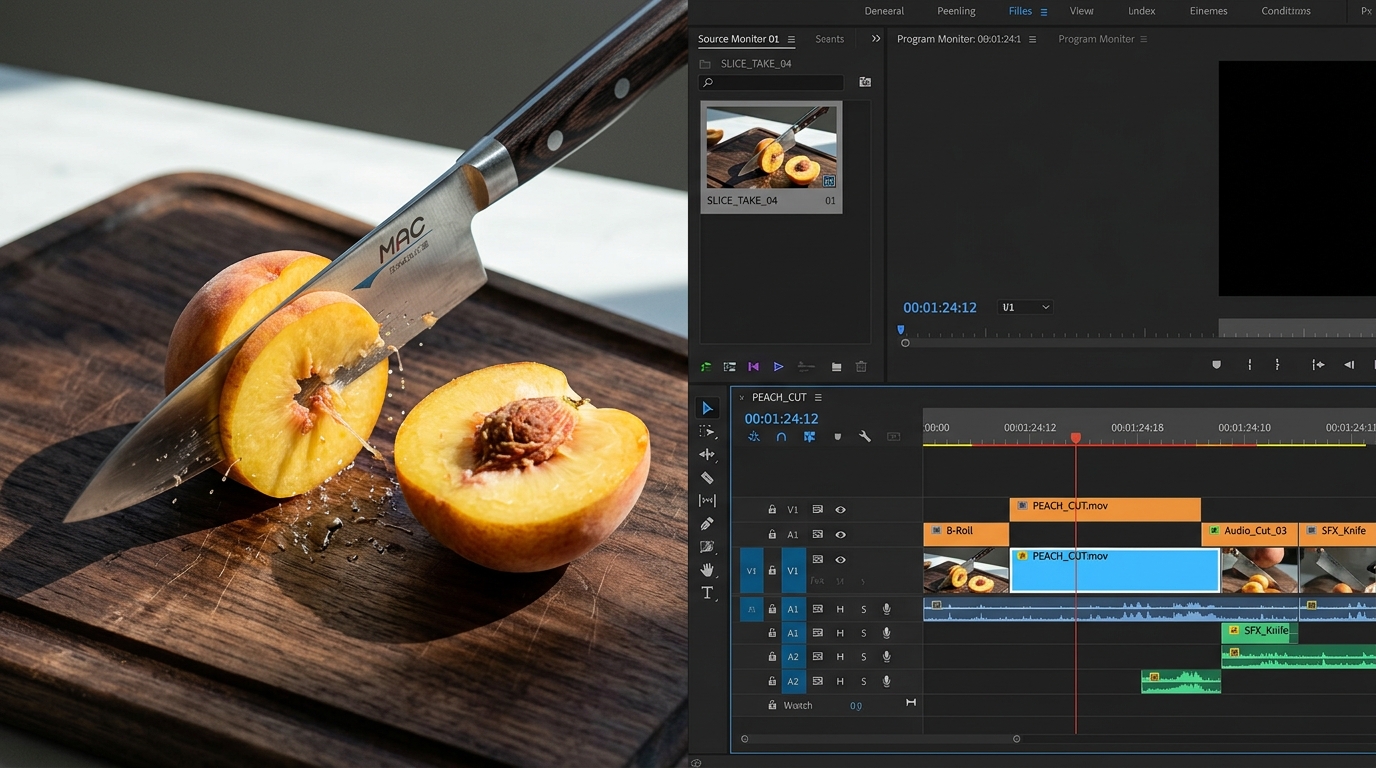
AI Cutting Videos: Two Different Tools, Two Different Jobs — Here's How to Tell Them Apart
If you searched "AI cutting videos" and ended up with a mix of editing software ads and ASMR fruit-slicing clips, that confusion is not your fault. The phrase covers two completely different tool categories, and most search results don't bother to explain that.
This article does. You'll learn what each type of AI cutting tool actually does, how the technology works under the hood, which platforms each format belongs on, and how to decide which one fits your content goal before you spend time or money on the wrong product.
Key Takeaways
- "AI cutting videos" refers to two distinct tool categories with different inputs, outputs, and use cases — knowing which you need comes first.
- AI clipping tools work by reading your video's transcript and scoring moments for relevance — they require existing footage.
- AI generative cutting tools create satisfying or ASMR cutting content (think: knife through kinetic sand) from a text prompt — no footage needed, but output quality depends heavily on how specific your prompt is.
- Choosing the right tool comes down to five practical criteria, not brand recognition.
What "AI Cutting Videos" Actually Means — Two Tools, Two Completely Different Jobs
When someone says "AI cutting videos," they might mean either of two things that have almost nothing in common.
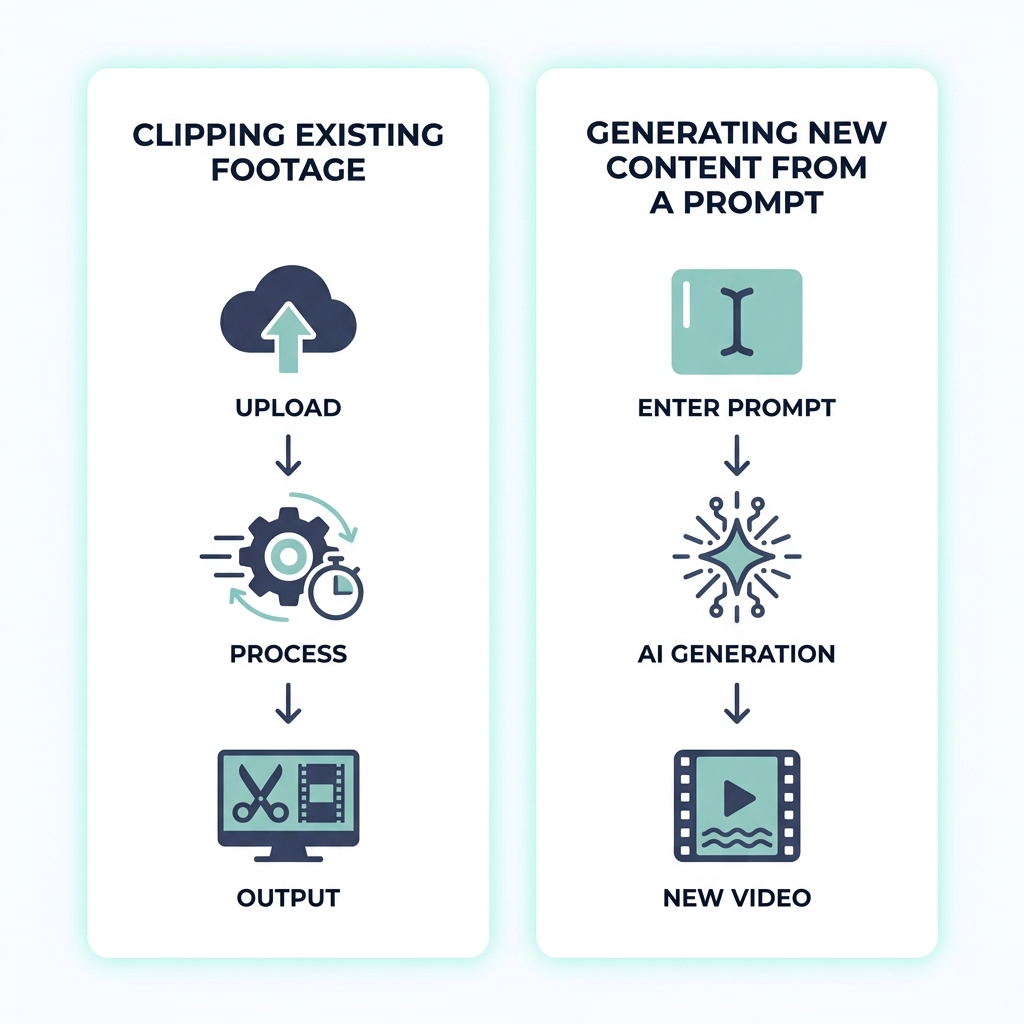
AI video clipping tools take existing long-form footage — a podcast, a webinar, an interview — and automatically extract the strongest short clips from it. Upload a 45-minute recording and get back three 60-second clips pulled from the highest-energy moments. The tool reads your video so you don't have to scrub a timeline.
AI generative cutting video tools do something entirely different: they create satisfying or ASMR cutting content from a text prompt. You type something like "satisfying knife cut through layered soap, close-up, crisp audio, 9:16 vertical" and the AI produces a video clip. No source footage. No recording session. The content is generated, not extracted.
Mixing these two up leads to choosing the wrong tool entirely. The table below makes the distinction clear at a glance.
| AI Video Clipping Tools | AI Generative Cutting Tools | |
|---|---|---|
| Input required | Your existing long-form video | A text prompt (no footage needed) |
| How it works | Transcript analysis, moment scoring | Text-to-video model, audio-visual sync |
| Best for | Repurposing podcasts, interviews, webinars | Creating satisfying or ASMR cutting content |
| Example output | Three 60-second clips from a 45-min podcast | AI-generated knife-on-fruit cutting clip for TikTok |
If you have footage you want to turn into short clips, you need the first category. If you want to publish satisfying cutting content without filming anything, you need the second. That single question determines everything that follows.
How AI Video Clipping Tools Actually Work
Most tools treat their clip selection as a black box. Here is what is actually happening.
Transcript-based segmentation is the foundation. The AI converts your video's spoken audio into a text transcript, then scans that transcript for high-energy phrases, topic shifts, strong declarations, and quotable moments. Those segments get flagged as clip candidates.
Moment scoring assigns a relative value to each candidate segment based on factors like speech pacing, energy peaks, and self-contained structure. A 55-second exchange where a podcast guest delivers a sharp, standalone insight scores well. A 55-second stretch of filler talk does not. Research into transcript-based video segmentation and AI moment detection shows how these models learn to identify meaningful boundaries in spoken content.
Speaker detection and face tracking handle the visual side. Once a clip is selected, the tool identifies the active speaker and reframes the video around their face for vertical output — no manual cropping required.
The process runs in sequence:
- Upload your long-form video
- The AI transcribes the audio
- Transcript segments are scored and ranked by moment quality
- Top-ranked segments are cut into individual clips
- Each clip is auto-reframed for vertical (9:16) format
- Clips are ready to export or publish
This mechanism works extremely well on speech-heavy content: podcasts, interviews, webinars, recorded talks. It works poorly on anything without a clear spoken track, including cooking tutorials without voiceover, gameplay, or music-only videos. When there is no transcript to read, the AI has no signal to score — clip selection becomes unreliable.
For a closer look at how this repurposing long-form video into short clips workflow operates in practice, the GotReach content repurposing page covers the automation layer in more detail. You can also read more about turning long recordings into short clips on the blog.
How AI Generative Cutting Video Tools Work
Generative cutting video tools belong to a different product category entirely. They do not process your footage. They create footage.
Text-to-video generation is the core mechanism. You write a description of the scene you want, and a generative model (similar in class to models like Veo 3) interprets that description and produces a video. There is no upload step because there is no source material.
Audio-visual synchronization is what separates better generative tools from weaker ones. In a satisfying cutting video, the sound of the cut (the crunch, the snap, the slice) needs to land on the exact frame where the blade makes contact. Tools that handle this sync well produce content that feels genuinely satisfying. Tools that do not produce clips that feel slightly off and lose the effect.
Prompt specificity drives output quality. This is the variable most first-time users underestimate.
- Weak prompt: "cutting video for TikTok" — the output will be generic, flat, and likely unusable without significant iteration.
- Strong prompt: "satisfying close-up cut through layered kinetic sand, crisp slicing sound, warm lighting, vertical 9:16, 15 seconds" — the output has enough specificity to produce something targeted and usable.
The AI cannot read your intentions. The more detail you give it about the subject, material, lighting, sound design, format, and duration, the closer the output will be to what you actually want.
Prompt-writing checklist for AI generative cutting video:
- Subject and material (kinetic sand, layered soap, foam, fruit)
- Camera angle and framing (close-up, overhead, macro)
- Lighting style (warm, bright studio, natural)
- Sound cues (crunch, crisp slice, satisfying snap)
- Platform format (9:16 vertical)
- Duration (10 seconds, 15 seconds, 30 seconds)
- Mood or texture (ASMR, high-energy loop, slow and satisfying)
Output quality still varies by model and by the complexity of what you are asking the AI to render. Liquid, layered cuts, and realistic physics are harder for current models and may look stylized or synthetic. Build iteration time into your expectations.
Platform Guide: What TikTok, YouTube Shorts, and Instagram Reels Each Expect
Whether you are clipping existing footage or generating new content, the platform you are publishing to shapes which tool features actually matter. Format is not optional detail — a vertical clip edited for TikTok may need adjustments before it works on Reels, and vice versa.
| TikTok | YouTube Shorts | Instagram Reels | |
|---|---|---|---|
| Aspect ratio | 9:16 vertical | 9:16 preferred (16:9 accepted) | 9:16 vertical |
| Recommended clip length | 15 to 60 seconds for high completion | Up to 60 seconds | Up to 90 seconds |
| Content style | High-energy hooks, satisfying loops, native feel | Educational, talking-head, and tutorial formats perform | Polished, aesthetic, visually cohesive content |
| Audio | Sound-on platform; native audio drives performance | Captions help; audience tolerates varied audio styles | Sound-on; original audio and trending audio both matter |
| Publishing notes | Captions improve retention; native uploads preferred | YouTube Shorts format specifications confirm 9:16 as the recommended orientation | Captions improve accessibility; direct scheduling saves manual steps |
A few things worth noting before you publish:
- TikTok and Reels are primarily sound-on environments. Clips where the audio is weak or mismatched will underperform regardless of how good the visual is.
- YouTube Shorts tolerates more educational content and longer setup time than TikTok, which rewards fast hooks.
- Captions matter on all three platforms for accessibility and retention. Confirm whether your AI tool generates captions automatically or requires a separate step.
Once your clips are cut and formatted, scheduling and publishing them directly to platforms from the same workflow removes a manual step that compounds quickly at publishing volume.
How to Choose the Right AI Cutting Tool for Your Content
The right tool is determined by your situation, not by which brand runs the loudest ads. Five questions get you there faster than reading ten product pages.
| Criteria | What to Ask | Why It Matters |
|---|---|---|
| Input source | Do you have footage to clip, or do you need content generated from scratch? | This single question determines which tool category applies before anything else |
| AI selection quality | Does the tool offer a free trial you can test on your actual content type? | Clip quality varies significantly by tool and content type; test before committing |
| Pricing model | Is pricing minute-based, credit-based, or subscription? What does the free tier actually cover? | Affects total cost at volume; a free plan covering 30 videos per month may be enough to evaluate fit |
| Publishing workflow | Does the tool integrate directly with platforms, or does it stop at download? | Direct integration matters more as publishing volume increases; manual upload steps compound |
| Commercial licensing | Is the output cleared for monetized content on TikTok and YouTube? | Always confirm before publishing AI-generated or AI-clipped video to a monetized channel |
Two common scenarios show how these criteria play out:
A creator publishing five clips per week from a weekly podcast needs a clipping tool with strong transcript accuracy and direct TikTok scheduling. The generative tool category does not apply to their situation at all.
An agency managing ten client accounts faces a different problem. Single-video tools that take 5 to 10 minutes per clip (like the workflow tools such as Captions require) become a hard production ceiling as volume scales. At that point, bulk creation capacity and centralized publishing control are the criteria that matter most.
GotReach is built for the second scenario: up to 300 videos in approximately 30 minutes from a single idea, distributed across seven platforms from one workflow, with a free plan covering 30 videos per month and no watermarks to test the fit. For agencies on GotReach Enterprise, centralized account management removes the context-switching that makes high-volume publishing unmanageable.
The difference between testing one clip and publishing a full content calendar is not effort — it is which tool you are using.
See how GotReach helps businesses and creators publish more without working more.
When AI Cutting Tools Fall Short — And What to Do About It
Every promotional article about AI video tools skips this section. This one will not.
AI clipping tools fail predictably on certain content types. The transcript-segmentation mechanism requires spoken audio to work. When there is no transcript, there is no signal. That means:
- Silent video or heavily visual content without narration produces unreliable clip selection
- Gameplay footage without commentary gives the AI nothing to read
- Music-only videos or content with background music and no speech will generate arbitrary cuts
- Dense visual instruction (think: demonstration with no explanation) often loses its meaning when clipped automatically
Generative AI tools have their own ceiling. Output quality depends on both the model and the prompt. Realistic physics, complex materials, and layered visual textures are harder for current models to render convincingly. Some outputs will look stylized or synthetic in ways that may not match your audience's expectations. Plan for iteration, not a single-pass result.
Both tool types require a review step before publishing. The following checklist covers the most common issues worth checking before a clip goes live:
- The source video has little or no spoken dialogue
- The content is gameplay, music-only, or dense visual without narration
- The AI-selected clip cuts off mid-sentence or loses context
- The generative output looks stylized or synthetic for your audience
- Captions are mistranslated or timed incorrectly
- The clip does not match the platform's aspect ratio or length requirements
If you check any of these boxes after AI processing, the clip needs manual review before it is publishable. That is not a failure of the tool — it is the honest ceiling of where automation ends and editorial judgment begins.
Frequently Asked Questions
What is the difference between AI video clipping tools and AI cutting video generation tools?
AI video clipping tools take existing footage and automatically extract short clips using transcript analysis and moment scoring. AI cutting video generation tools create satisfying or ASMR cutting content from a text prompt with no source footage required. The inputs, outputs, and use cases are completely different, which is why identifying which category you need comes before any tool evaluation.
How does AI decide which moments to clip from a long video?
Most AI clipping tools convert your video's spoken audio into a transcript, then scan that transcript for high-energy phrases, topic shifts, and quotable moments. Each candidate segment receives a score based on speech pacing, energy, and self-contained structure. The highest-scoring segments are cut into clips and reframed for vertical output automatically.
Do I need my own footage, or can AI generate cutting video content from scratch?
It depends on the tool category. AI video clipping tools require your existing footage — they cannot create content. AI generative cutting tools require only a text prompt and produce video from scratch. If you want to publish satisfying or ASMR cutting content without filming anything, the generative category is the right starting point.
How accurate is AI moment selection, and will I still need to edit manually?
Accuracy varies by tool and content type. Speech-heavy content (podcasts, interviews, recorded talks) produces the most reliable results. Silent video, gameplay, and music-only content will produce poor clip selection because the AI has no transcript to read. Always review AI-selected clips before publishing — check for mid-sentence cuts, missing context, and caption errors.
Which platform should I publish cutting video content to first?
For short satisfying or ASMR cutting clips, TikTok is the natural starting point given its audience for that content format. For creators repurposing educational or conversational content, YouTube Shorts may produce faster traction because its algorithm is more tolerant of longer setup times. All three platforms — TikTok, YouTube Shorts, and Instagram Reels — require 9:16 vertical format as the standard.
Are AI-generated cutting videos allowed for commercial use on TikTok and YouTube?
This depends on the specific tool and its licensing terms, not on a universal rule. Before publishing AI-generated or AI-clipped video to a monetized channel, confirm that the tool's terms of service permit commercial use of the output. This is a licensing question each tool answers differently, and it is worth checking before you build a content strategy around a tool whose terms you have not read.
What does a free plan actually cover for AI cutting tools?
Free tiers vary widely. GotReach's free plan covers up to 30 videos per month with one connected social account and no watermarks — enough to test the tool on real content without financial commitment. Other tools may cap by minutes processed, number of exports, or resolution. Always check what the free tier actually limits before assuming it reflects the paid product's capabilities.
Start Publishing More Without Adding to Your Production Day
Now that the two categories are clear, the decision is straightforward: if you have footage to repurpose, you need an AI clipping tool. If you want to publish satisfying cutting content without filming, you need a generative tool.
For creators and teams working in the clipping and repurposing category, the bottleneck is not ideas — it is production volume. GotReach removes that bottleneck: up to 300 videos in approximately 30 minutes from a single idea, across seven platforms, with no editing skills required and no watermarks on the free plan.
Start your 30-day free trial today and see how many clips you can build from your next long-form recording.