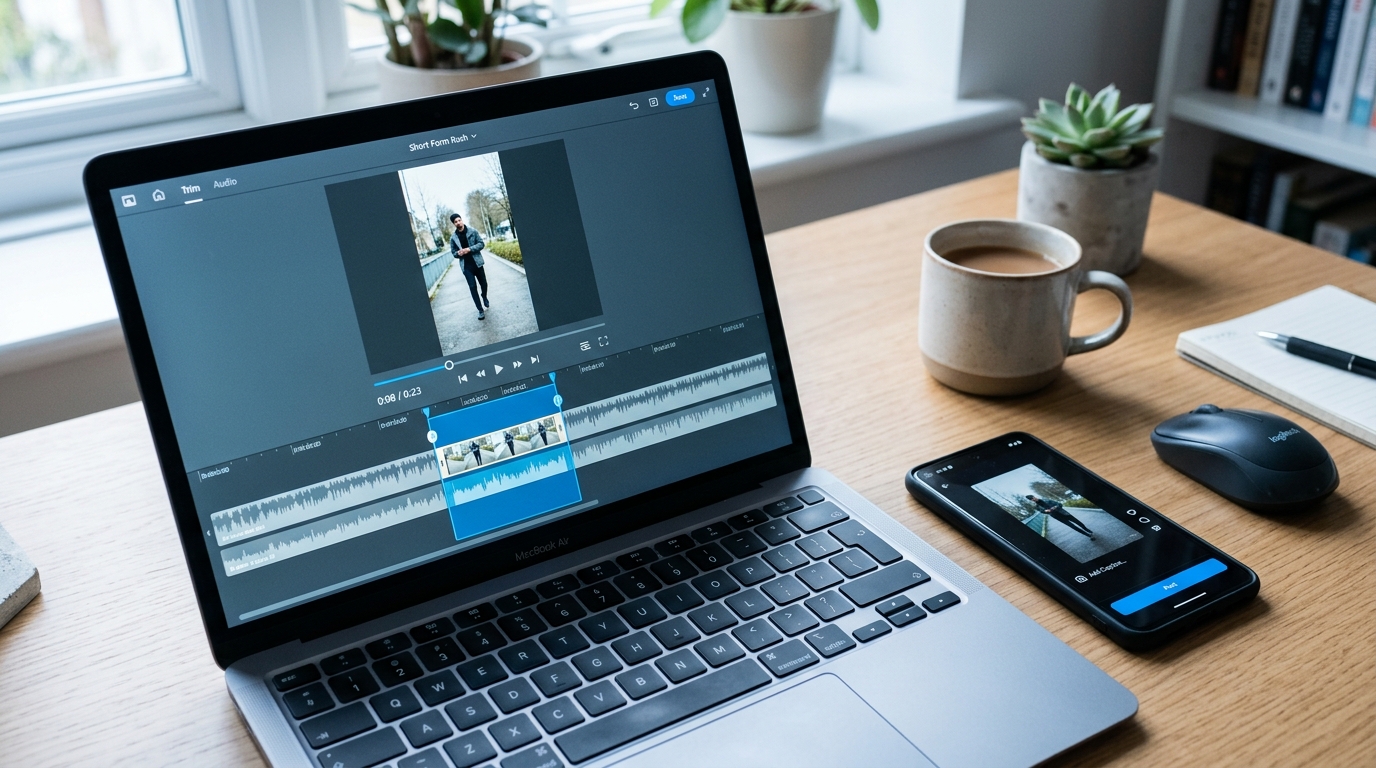
AI Clip Generators from Video: How the Technology Works and How to Pick the Right Tool
Every AI clip generator promises the same thing: upload your long video, get viral short clips in seconds. The homepages all look similar. The feature lists read almost identically. And if you've spent any time comparing tools, you already know that "viral clips in one click" doesn't tell you anything useful about whether a tool will actually work for your content.
The real differences between AI clip generators are in how their AI selects moments, which video formats they handle well, and what they quietly leave out of the free tier. This guide explains how clip selection actually works, which content types are strong candidates, and gives you a consistent set of criteria to evaluate any tool on your own terms.
Key Takeaways
- AI clip tools differ most in clip selection quality and content-type fit, not in the features listed on their homepage.
- The technology works by scanning transcripts and audio patterns, not by predicting virality. Understanding that distinction makes you a better judge of output quality.
- AI clipping underperforms on certain video types. Knowing which ones before you upload saves time and wasted credits.
- A consistent evaluation framework matters more than trusting any tool's marketing claims. The criteria grid in this article applies to any tool you're considering.
- Some creators need 3 to 5 clips from a weekly podcast. Others need hundreds of videos published across seven platforms from a single session. Those are different problems that need different tools.
How AI Clip Generators Actually Work
Before you can evaluate which tool does this well, it helps to know what the technology is actually doing. Most tools describe this as "AI magic" or skip the explanation entirely. It's neither magic nor a black box.
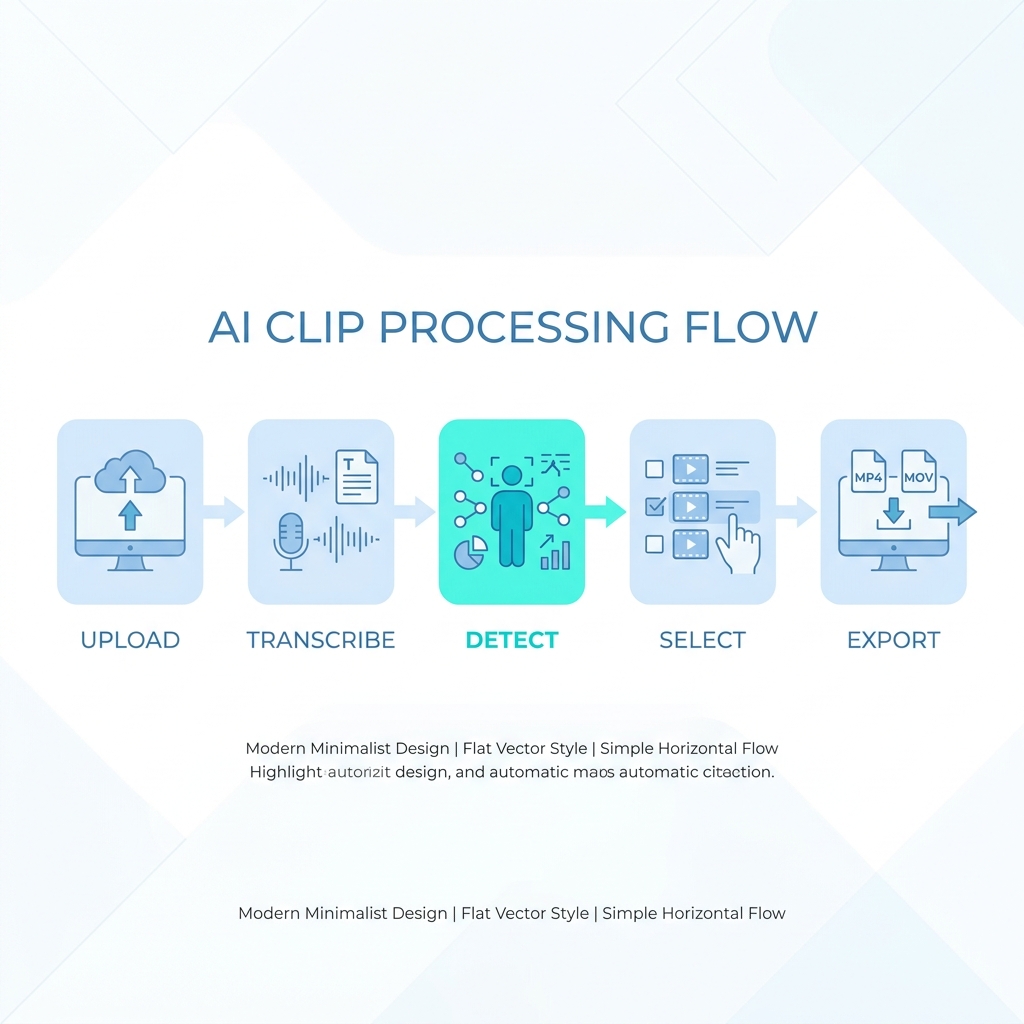
Research on audio-based AI models identifying salient moments in video shows that the core approach relies on measurable signals in speech and audio, not on predicting what audiences will watch. Here's how the pipeline works in practice:
- Upload — Your video file or URL is ingested into the tool's processing system.
- Transcription — Speech is converted to text so the AI can read what was said, not just hear it.
- Moment detection — The AI scans the transcript and audio for signals like rising vocal energy, applause, laughter, natural sentence-ending pauses, and the density of keywords or topic phrases.
- Clip selection — Candidate moments are ranked based on signal strength and clip length targets, and the top results are selected.
- Formatting — Selected clips are reframed for vertical aspect ratio and captions are generated and applied.
- Review and export — You approve, trim, or discard clips before publishing.
Two separate AI functions are at work here. Clip selection AI finds the moment. Clip formatting AI resizes, reframes, and captions it. These are distinct capabilities with separate quality implications. A tool can be strong at one and weak at the other.
One more thing worth saying clearly: viral potential scores, if a tool shows them, are probabilistic estimates based on those same audio and transcript signals. They are not a guarantee. What performs on TikTok depends on posting time, audience, trend cycles, and factors the AI cannot measure. A high score is a starting point, not a prediction.
For readers who want more detail on converting long-form recordings into short social clips as a complete workflow, that companion post covers the process at a step-by-step level.
Which Video Types Work Best — and Which Don't
AI clip selection depends entirely on having strong signals to read. The better your source video gives the AI to work with, the better your clips will be. The problem is that different content types generate very different signal quality.
| Content Type | Expected AI Clip Quality | Why |
|---|---|---|
| Podcast interview (two or more speakers) | High | Rich transcript, natural emphasis, clear speaker turns, frequent quotable moments |
| Webinar or online course | High | Structured content with clear topic transitions and audience Q&A sections |
| Q&A session or panel discussion | High | Self-contained questions and answers create natural clip boundaries |
| Talking-head solo video | Moderate to High | Strong if speaker varies energy and pace; weaker if monotone delivery |
| Product demo or explainer | Moderate | Depends on narration clarity and whether key moments are speech-driven |
| Heavily edited scripted video | Low | Fast cuts and no natural pauses give the AI few usable signals |
| Sports highlights or action content | Low | Clip selection requires visual judgment the AI cannot reliably make from audio alone |
| Music video or silent B-roll | Very Low | No speech means no transcript, which removes the primary selection signal |
| Highly technical or niche content | Low to Moderate | The AI may find audio-strong moments that lack actual topical significance |
A 45-minute podcast interview is a strong source. Multiple speakers, natural emphasis, a rich transcript, and clear sentence boundaries give the AI exactly what it needs. A 3-minute product demo with background music and a fast-paced voiceover is a much weaker candidate.
The webinar Q&A section often produces the best clips from a long recording. Audience questions create self-contained moments with a clear beginning and end. If you have a webinar recording, consider running only the Q&A portion through the AI tool first.
Source audio quality matters as much as content type. Poor audio degrades both caption accuracy and clip selection quality simultaneously. Background noise, overlapping speakers, and low volume all reduce the reliability of transcript-based moment detection. A noisy recording of a podcast interview may underperform a clean recording of a product demo.
Video length also affects output. Very short videos, under five minutes, give the AI fewer candidate moments and may return fewer usable clips regardless of content quality. Plan on at least 15 to 20 minutes of source material for consistent output.
What to Evaluate in Any AI Clip Generator
Tool homepages are not useful evaluation surfaces. They are built to convert, not to inform. What follows is a framework you can apply to any tool you're considering, including ones that don't exist yet.
Clip selection quality and control — Can you guide the AI with topic prompts, target keywords, or moment types? Or do you accept whatever it selects? Manual override matters for editorial quality, especially if your content has a specific angle the AI may miss.
Caption accuracy in real conditions — Vendor accuracy percentages don't account for fast speakers, mixed accents, or poor audio. The number that matters is how the tool performs on your specific content, not in a controlled demo. For a deeper look at evaluating AI-generated captions and what accuracy means in practice, that post covers the tradeoffs in detail.
Aspect ratio reframing and subject tracking — Auto-reframing for vertical video is now standard. Subject tracking quality is not. Poor tracking cuts off faces, misses speaker changes, or locks on to the wrong person in a two-shot. Test this before committing.
Platform-specific output options — Does the tool let you specify clip length, caption style, and format by target platform? A generic 60-second clip is not the same as a TikTok-optimized clip with a two-second hook.
Pricing transparency — Free tier credit limits, per-video costs at scale, and what gets restricted behind a paywall matter more than the headline free offer. Know the ceiling before you start a project.
| Evaluation Criterion | What to Look For | Red Flags |
|---|---|---|
| Clip selection quality | AI guided by prompts or topics; manual clip selection available | Only fully automatic output with no user control |
| Content type compatibility | Tool clearly states which content types it handles best | Generic claims that it works for "any video" |
| Caption accuracy | Tested on fast speech and mixed accents; language support documented | Accuracy percentages with no qualifying conditions |
| Aspect ratio reframing | Subject tracking that follows speaker changes and multi-person shots | Reframing locked to center crop with no tracking adjustment |
| Platform-specific output | Per-platform clip length, caption style, and format settings | One output format applied to all platforms |
| Pricing transparency | Credit limits and plan ceilings visible before signup | Free tier details hidden until after account creation |
| Publishing and scheduling | Native publishing included or clearly integrated | Clips exported only; publishing requires a separate tool |
| Output control | Human review step built into the workflow | No clip approval step before publishing |
Comparing the Leading AI Clip Generators
Here is how the major tools compare across the criteria above. No single tool wins on all dimensions. The right choice depends on your content type, volume needs, and how much editing time you have after AI generation.
| Tool | Best For | Clip Selection Method | Free Tier Reality | Caption Accuracy Notes | Platform Output | Notable Limitation |
|---|---|---|---|---|---|---|
| OpusClip | Podcasts and interviews; solo creators wanting fast social clips | Transcript and audio energy scanning with viral score ranking | Limited clips per month; watermark may apply on lower tiers | Strong on clear audio; degrades with overlapping speakers or noise | Vertical reframe for TikTok, Shorts, Reels | Clip selection control is limited; harder to guide toward specific moments |
| Vizard | Webinars, courses, and long-form educational content | Transcript-based moment detection with chapter and highlight tagging | Moderate clip volume; some export restrictions on free plan | Reliable on structured speech; struggles with fast or accented speakers | Multi-platform export with some length targeting | Less suited to unstructured casual conversation |
| Vidyo | Solo creators and marketers repurposing recorded content | AI scene detection combined with transcript scanning | Generous free tier relative to competitors; some resolution caps | Good accuracy on standard accents; less tested on non-English content | Platform-specific templates available | Template quality varies; editing interface has a learning curve |
| Captions | Short-form creators focused on individual polished clips | Manual-guided AI with strong caption and style controls | Limited free output; more restricted than alternatives | Strong caption accuracy with style customization | TikTok and Reels optimized | Takes 5 to 10 minutes per video; not built for bulk production |
| GotReach | Brands, agencies, and creators who need volume and multi-platform distribution | Bulk video creation from a single session, not clip extraction | Up to 30 videos per month, one connected social account, no watermarks | Focused on volume output with authentic creator voice preserved | Automated scheduling and publishing across seven platforms | Not a transcript-based clip extraction tool; positioned at the production and distribution layer |
A solo podcaster recording once a week who needs three to five social clips may find OpusClip or Vidyo sufficient. A brand or agency managing daily posts across seven platforms needs a different kind of solution entirely.
GotReach occupies a distinct layer here. It is not a clip-extraction competitor to OpusClip or Vizard. It is built for creators and businesses who need to turn long-form recordings into multi-platform content at volume, up to 300 videos from a single session in 30 minutes, with automated publishing across seven platforms. That is a different problem from extracting three clips from a podcast, and it requires a different tool.
Platform Output: What Makes a Clip Work on TikTok vs. YouTube Shorts vs. Instagram Reels
Generating a clip is step one. Understanding what makes that clip perform on each platform is what separates content that gets views from content that gets ignored.
| Platform | Optimal Clip Length | Hook Placement | Caption Style | Content That Over-Indexes |
|---|---|---|---|---|
| TikTok | 15 to 60 seconds | First 1 to 2 seconds | On-screen captions near-mandatory; most users watch muted | Direct address, trend-adjacent content, casual and authentic tone |
| YouTube Shorts | Up to 60 seconds | First 3 to 5 seconds tolerated | Captions helpful but less mandatory; watch-through rate matters | Educational and how-to content; slightly higher tolerance for information-dense delivery |
| Instagram Reels | Up to 90 seconds | First 2 to 3 seconds | On-screen text style matters; aesthetic quality is weighted more heavily | Value-dense content; slightly older audience skews toward practical over entertainment-first |
TikTok's own creative best practices confirm that the hook and early retention are the primary performance variables on that platform. The implication for AI clip selection: a clip with strong mid-content audio energy but a slow opening will underperform relative to its transcript score.
If the tool you are using supports it, prompt with your target platform, desired clip length, and hook placement before generation. Not all tools expose these controls, but when they do, the output is meaningfully more aligned with platform norms.
After clip generation, publishing and scheduling across platforms is a separate workflow step. Tools vary significantly in whether they include native publishing or require a third-party scheduler. Automating that scheduling and publishing step is worth evaluating separately from clip quality, especially if you are managing multiple platforms or posting daily.
When AI Clipping Doesn't Deliver — And What to Do Instead
Before you upload a recording, it is worth checking whether your source material is a strong candidate for AI clipping. Most tools will process anything you give them. That does not mean they will produce usable output.
Signs your source video may not be a strong AI clip candidate:
- Heavily edited scripted content with fast cuts and no natural pause points between ideas
- Poor audio quality, including background noise, overlapping speakers, or low recording volume
- Silent or music-only segments with no speech for transcript analysis
- Very short source videos under 5 minutes with limited moment variety
- Highly technical or niche content where identifying key moments requires domain expertise
- Non-English content in languages with limited transcription model support across the tools you are considering
If your video checks two or more of these, AI clip generation is likely to require significant manual correction or may not save time compared to editing directly.
Common failure modes in AI output:
The AI selects a moment with strong audio energy that lacks visual context when isolated. It cuts into the middle of a sentence because the audio peak started before the thought completed. It misses the actual punchline by two to three seconds because the laughter or reaction came after a pause that looked like an ending.
How much editing is realistically required:
Even with strong source material, plan for 20 to 40 percent of your total clip review time as manual effort. That means reviewing selections, trimming in and out points, and occasionally discarding clips that technically scored well but don't work in isolation. AI clip generation is a genuine time-saver for the right content. It is not a replacement for editorial judgment.
What to do when output is weak:
Trim silences and improve audio before re-uploading. Use the tool's manual selection mode if it has one. If your content type consistently produces poor AI output, that recording may be better suited to direct editing rather than AI extraction.
Free tier reality:
Most tools restrict credit volume, resolution, or output count on free plans. Running out of credits mid-project is a real workflow disruption. Check the ceiling before you start.
Frequently Asked Questions
What is the best free AI clip generator from video in 2026?
There is no single answer because the best free tier depends on your content type, volume needs, and which restrictions you can tolerate. Vidyo offers a comparatively generous free plan for solo creators. GotReach's free tier allows up to 30 videos per month with no watermarks and one connected social account, which is meaningfully more useful than most clip-extraction tool free tiers. Evaluate free tiers against the criteria grid above, not against each other's marketing claims.
How accurate are AI-generated captions in clip tools?
Accuracy percentages from vendors are measured under controlled conditions. In real use, accuracy varies significantly based on speaker pace, accent, audio quality, and the language being spoken. A fast speaker with a regional accent recorded on a phone microphone will produce noticeably lower accuracy than a studio-quality interview. Test any tool on your own content before relying on the vendor's published number.
Can AI clip generators work with non-English videos?
Some tools support multiple languages, but language support and transcription accuracy vary considerably. Major Western European languages tend to have better model coverage than less common languages. For non-English content, check whether the tool explicitly lists your language and, if possible, test a short sample before committing to a full project. Accuracy gaps are more pronounced in languages with limited training data.
How long does it take to process a one-hour video?
Processing time typically ranges from 3 to 15 minutes for a one-hour video, depending on the tool, video quality, and plan tier. Higher-tier plans often get faster processing. Some tools queue jobs during high-traffic periods, which can extend wait times beyond the typical range. Budget accordingly if you are working against a publishing deadline.
Do AI clip generators work for content types other than podcasts?
Yes, but results vary significantly by content type. Webinars, Q&A sessions, interviews, and online courses perform similarly to podcasts because they share the same structural qualities: rich transcripts, natural emphasis, and clear speaker turns. Scripted video, sports content, music-only segments, and highly technical niche content tend to produce weaker AI output. See the content-type compatibility table earlier in this article for a format-by-format breakdown.
How many clips can an AI tool generate from a single long video?
Most tools generate somewhere between 5 and 20 clips per hour of source video. The number tends to be higher at the low quality end, because the AI finds more moments when its selection threshold is low. At higher quality settings, you typically get fewer clips that are more usable. Generating 20 clips from an hour of podcast audio does not mean all 20 are worth publishing. Plan on keeping roughly half of the AI-selected output after review.
Ready to See What Volume Actually Looks Like?
If you have worked through this guide and your main constraint is not finding one good clip but producing enough content consistently across multiple platforms, that is a different problem.
GotReach is built for that layer. One session, up to 300 videos in 30 minutes, published across seven platforms without a per-video bottleneck. The free tier includes up to 30 videos per month with no watermarks and no commitment.
Start your 30-day free trial today and see what your content output looks like at scale.
Not ready to trial yet? Join the list for GotReach updates, potential rewards, future discounts, and launch news.